Tapping into ETW
Intro
- Parent-child relationships can show if a normal executable such as
spools.exeis spawning a child likewhoami.exe - An attacker can do this with PID Spoofing
- To replicate the attack, perform the following in PowerShell
powershell -ep bypass
Import-Module .\psgetsys.ps1
[MyProcess]::CreateProcessFromParent([Process ID of spoolsv.exe],"C:\Windows\System32\cmd.exe","")
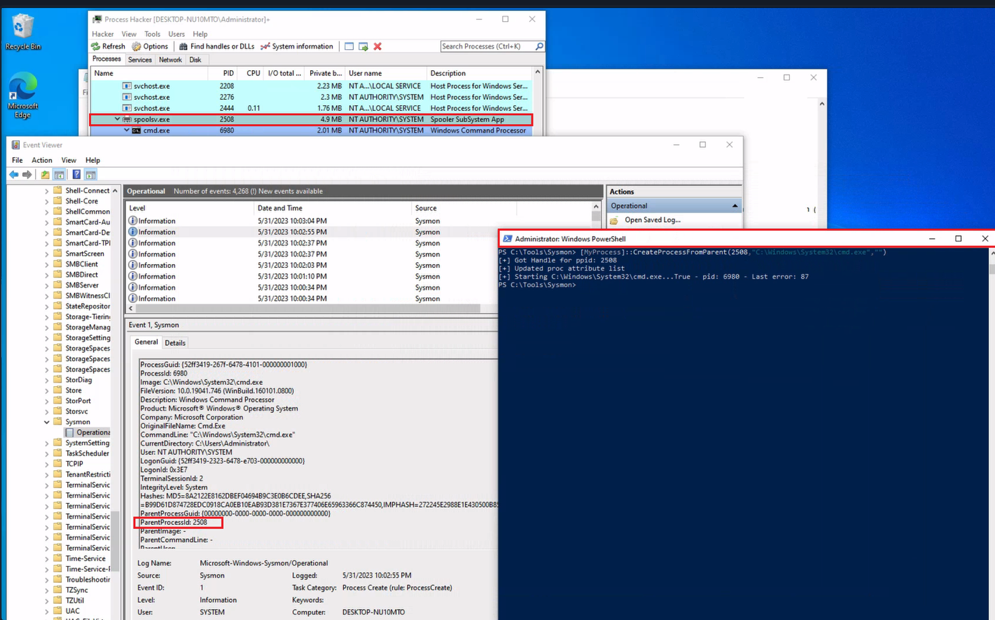
- This shows that
spools.execreatedcmd.exewhen in reality it was a powershell process
SilkEWT
- collects data from
Microsoft-Windows-Kernel-Processprovider and gives us more details as well as more accurate information regarding the true parent-child relationship in processes - if provider is unkown, idneitfy with:
logman.exe query providers | findstr "Process"
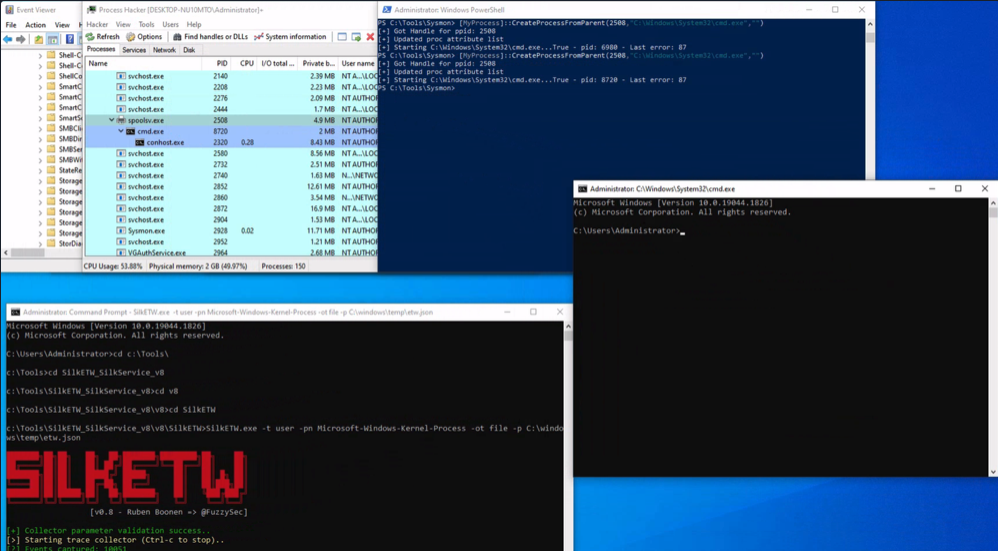
- then simulate the same PID Spoof attack as earlier
- then run the following in CMD wherever SilkETW is downloaded:
SilkETW.exe -t user -pn Microsoft-Windows-Kernel-Process -ot file -p C:\windows\temp\etw.json
Seatbelt
- attackers now employ
BYOL = Bring Your Own Landinstead of justLiving Off The Landbecause defenses for this has gotten much better - C# executables such as Seatbelt can now be loaded from memory by attackers to gain situational awareness
- When executables such as Seatbelt are ran, they will generate
Event ID = 7in sysmon
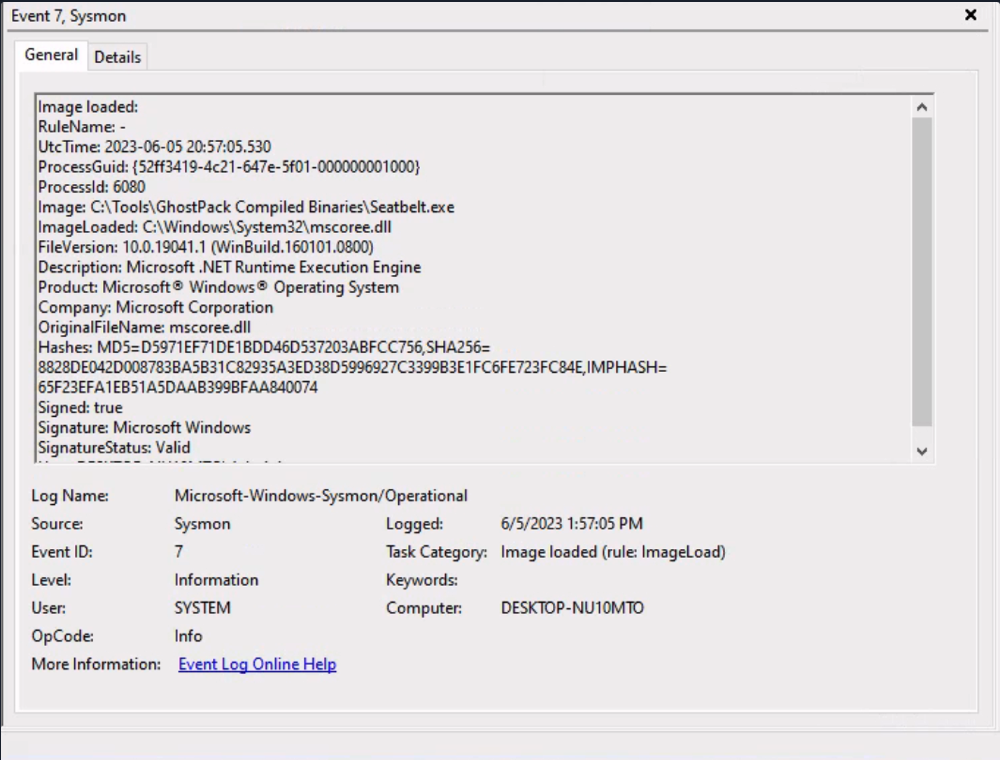
- The problem with Sysmon alone is that it generates enormous volume and lacks depth
- Use
Microsoft-Windows-DotNETRuntimeprovider with SilkETW to get more visibility into the .NET execution
Simulation with Seatbelt and SilkETW
- make sure sysmon is configured to exclude Event ID 7
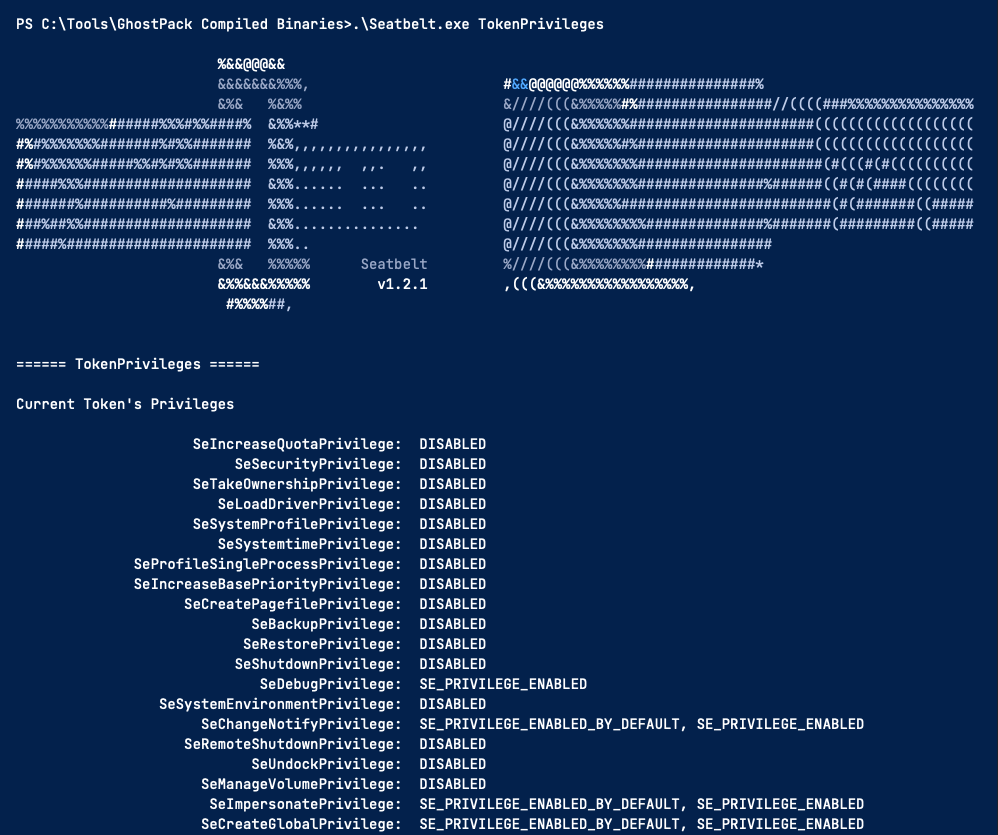
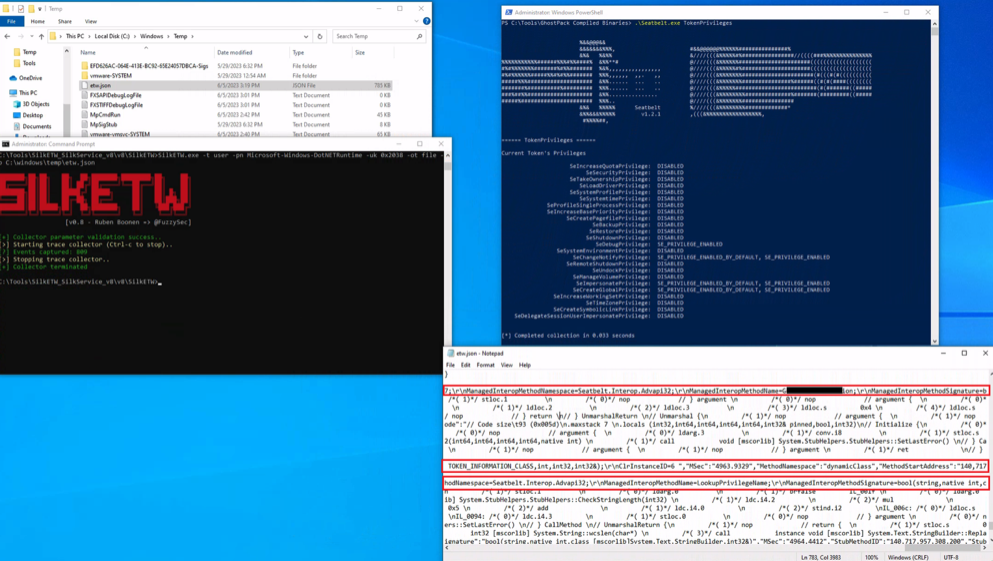
- in powershell, run Seatbelt executable
.\Seatbelt.exe TokenPrivileges
SilkETW.exe -t user -pn Microsoft-Windows-DotNETRuntime -uk 0x2038 -ot file -p C:\windows\temp\etw.json
-
the
-uk 0x2038parameter filters for specific event types:JitKeyword: Just-In-Time compilation events showing which methods are being compiledInteropKeyword: When managed code calls unmanaged APIsLoaderKeyword: Assembly loading detailsNGenKeyword: Precompiled assembly usage