Blending Post-ex
- You cant just rely on settings in your C2 profile for post-ex defence evasion
- Every command you run must blend in based on where your current Beacon is running and what command you want to run
How to Blend
- egress Beacon should be running inside a process that makes sense for C2 channel being used
- ex: HTTP/S Beacon should run in a process that makes legit HTTP requests
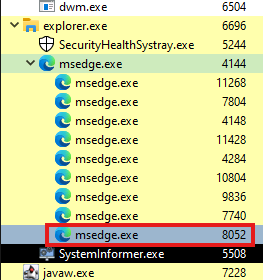
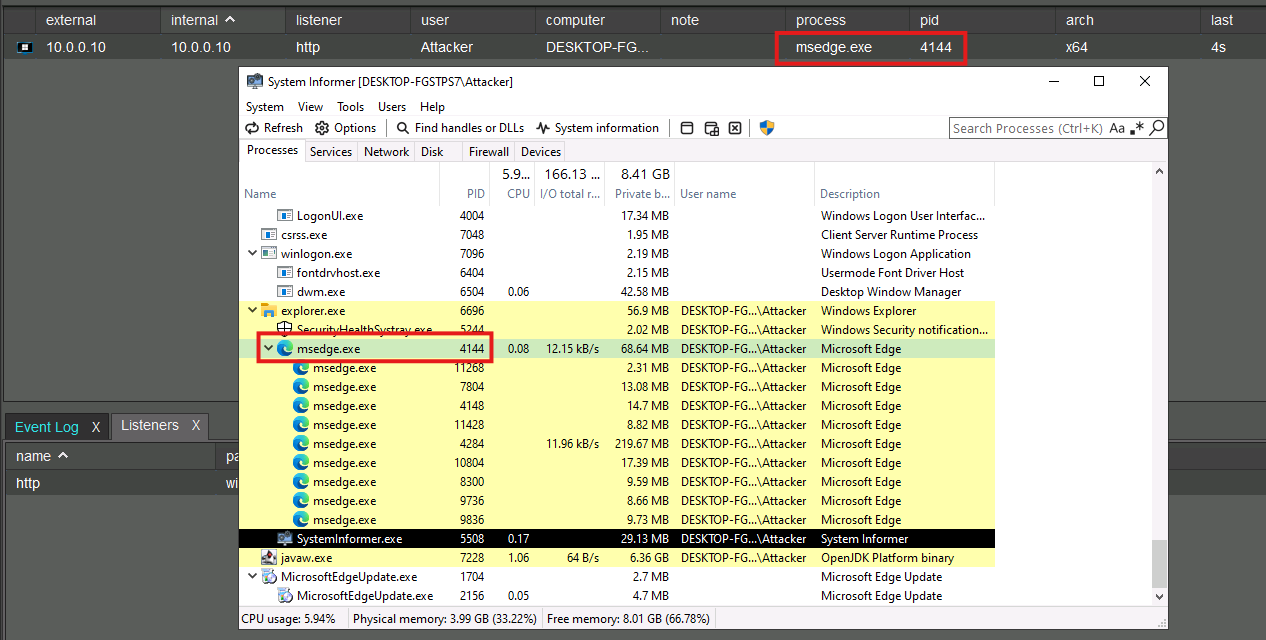
Assume we have a Beacon running in Microsoft Edge
- Common post-ex commands that spawn new processes include
shell,run,execute-assembly, andpowerpick. - any new process spawned by Beacon will also be a child of the process Beacon is running in
- ex: starting processes as children as msedge.exe
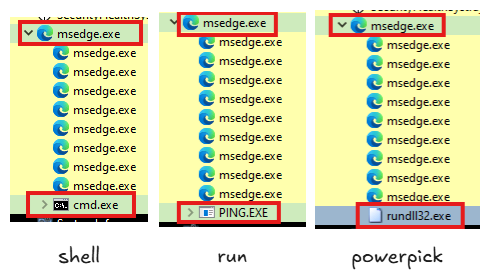
- msedge spawning processes like this is not good OPSEC...
- use
ppidcommand instead which spawns a process under a differen parent - process you would use as a parent depends on what command or program you want to run
- get the process ID with the
pscommand and then run the shell command with it
- get the process ID with the
beacon> ppid 6696
[*] Tasked beacon to spoof 6696 as parent process

beacon> shell timeout 60
[*] Tasked beacon to run: timeout 60
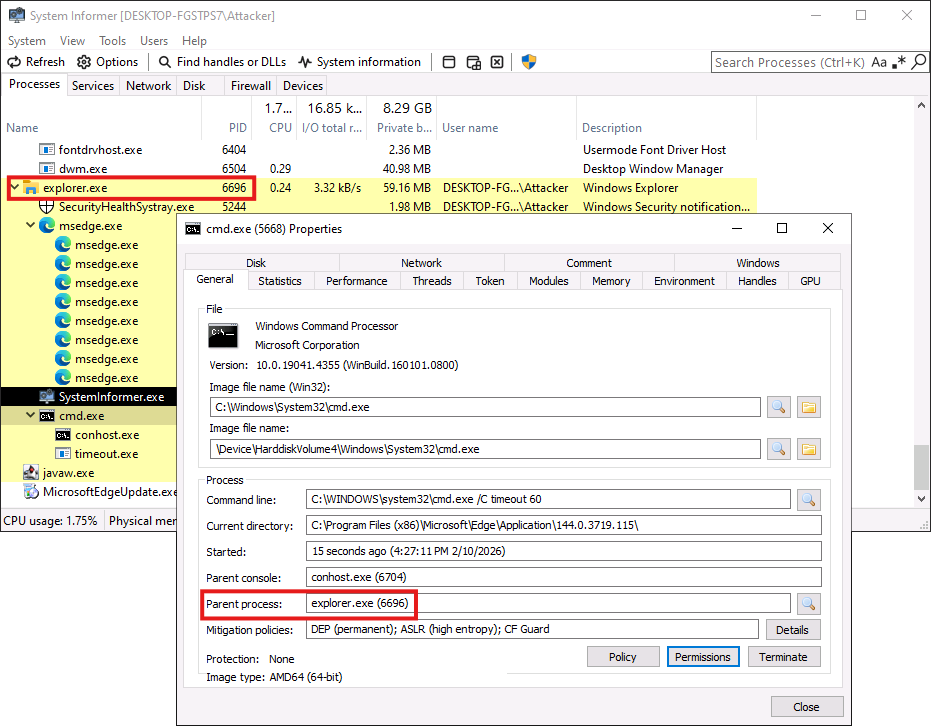
The same works for the run command
Use spawnto for fork & run commands
- controls the process that is used to run the post-ex capability
For example, we could ppid to explorer and set the spawnto to a process such as notepad, powershell, msiexec, or anything else that would make sense. We could also set the spawnto back to default (i.e. the current msedge process) and just set the spawnto to be another msedge process
beacon> ppid
[*] Tasked beacon to use itself as parent process

beacon> spawnto x64 "C:\Program Files (x86)\Microsoft\Edge\Application\msedge.exe" --profile-directory=Default
[*] Tasked beacon to spawn x64 features to: "C:\Program Files (x86)\Microsoft\Edge\Application\msedge.exe" --profile-directory=Default

beacon> powerpick start-sleep -s 60